



We tested the ComDrop service for commenting on Facebook posts through an internal network of accounts. We tested Fan Page creation, posting comments and reactions, and reviewed the interface, pricing, and core functionality.
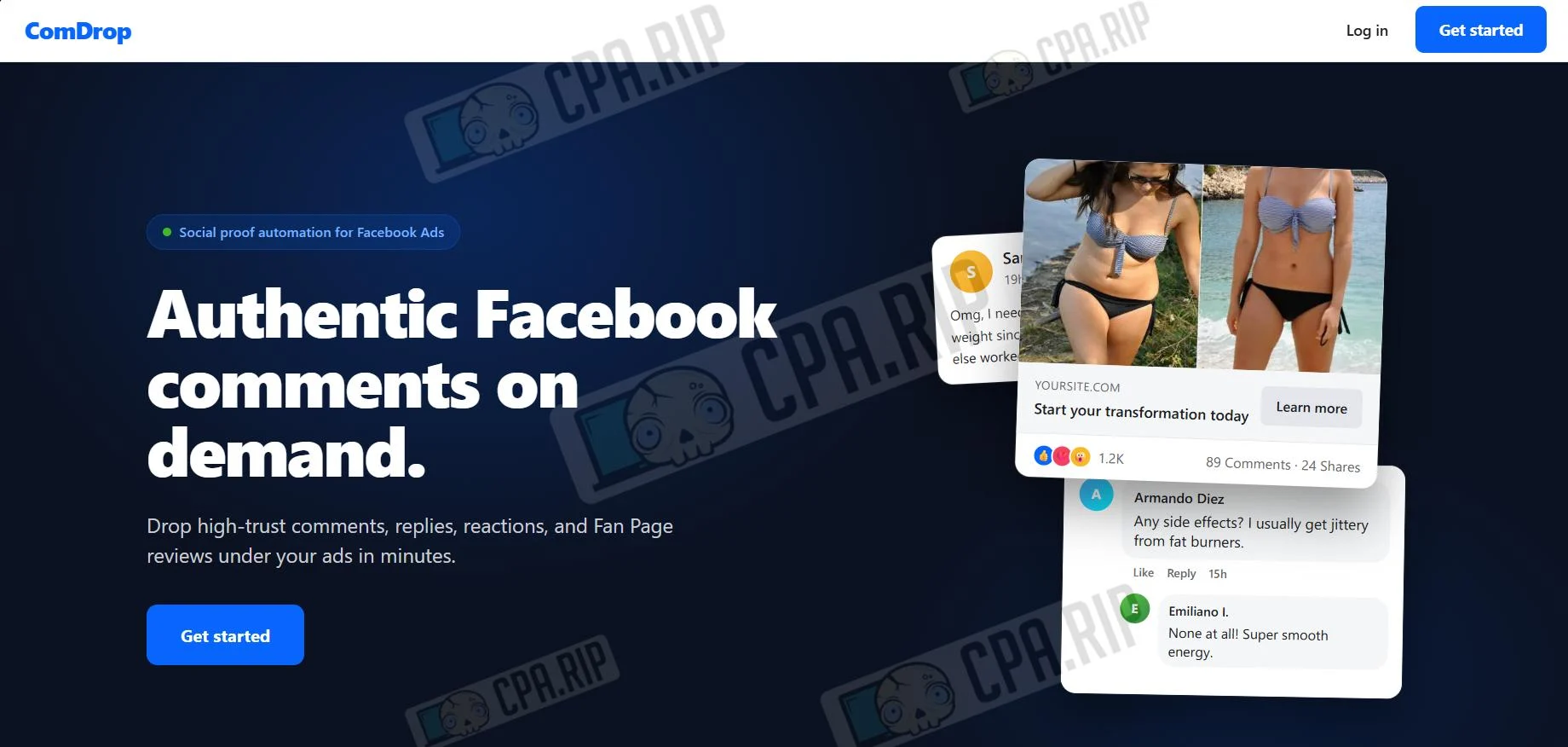
ComDrop is a service for posting realistic comments, reactions, and other actions under advertising posts on Facebook. The user sets a link to the post and task parameters, while execution is performed by accounts on the platform side. The service also includes Fan Page creation functionality.
- Website: https://comdrop.io
Our experience using the service
As part of the test, we created several Fan Pages and tested the creation of realistic comments for advertising posts. Main findings:
- The Fan Page creation process took from 10 to 35 minutes, which matches the timeframes stated by the platform’s technical support.

- In case of unsuccessful page creation attempts, the system displayed notifications describing the specific reasons for the error.
- We found that the donor admin is not removed from the accepted Fan Page. We also could not remove it manually.
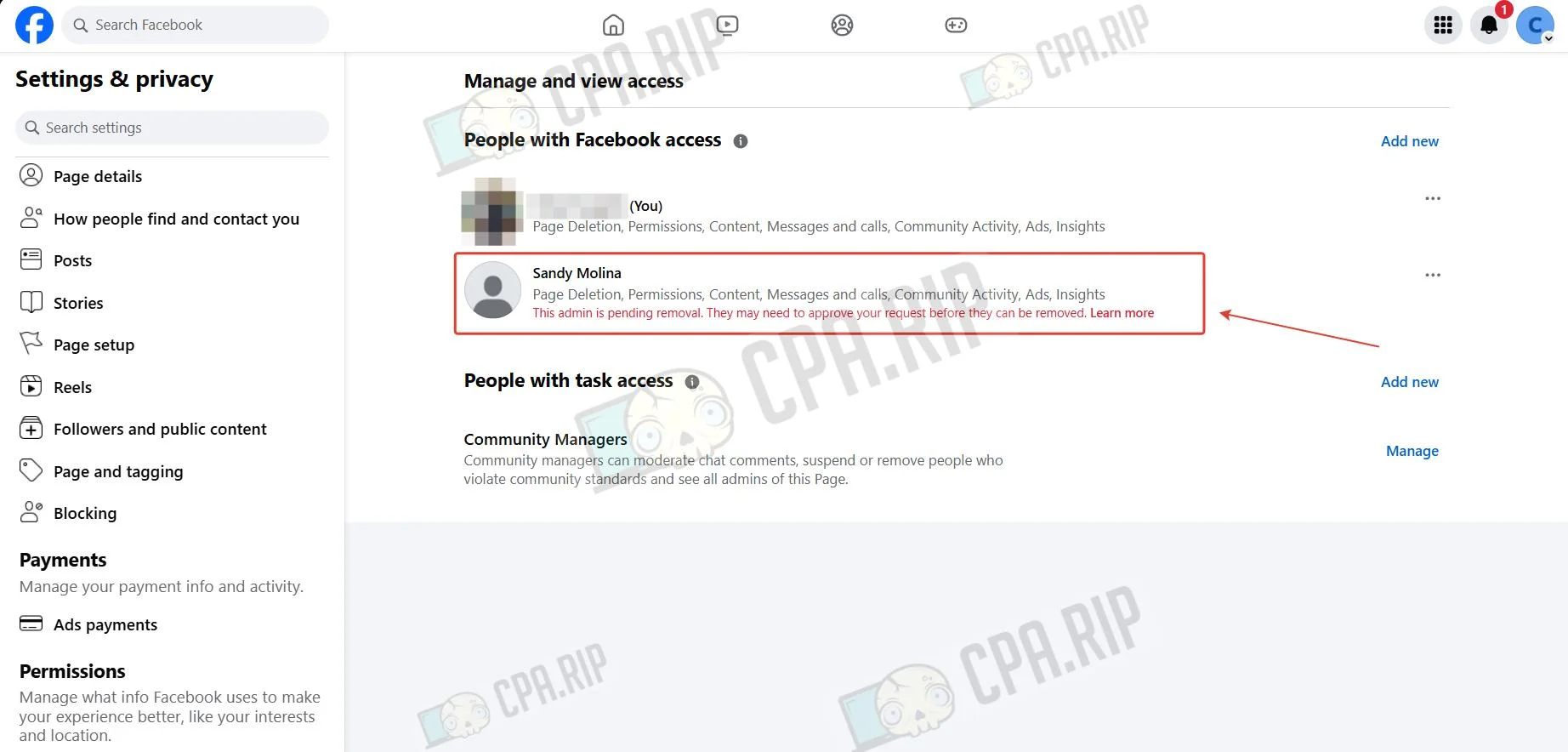
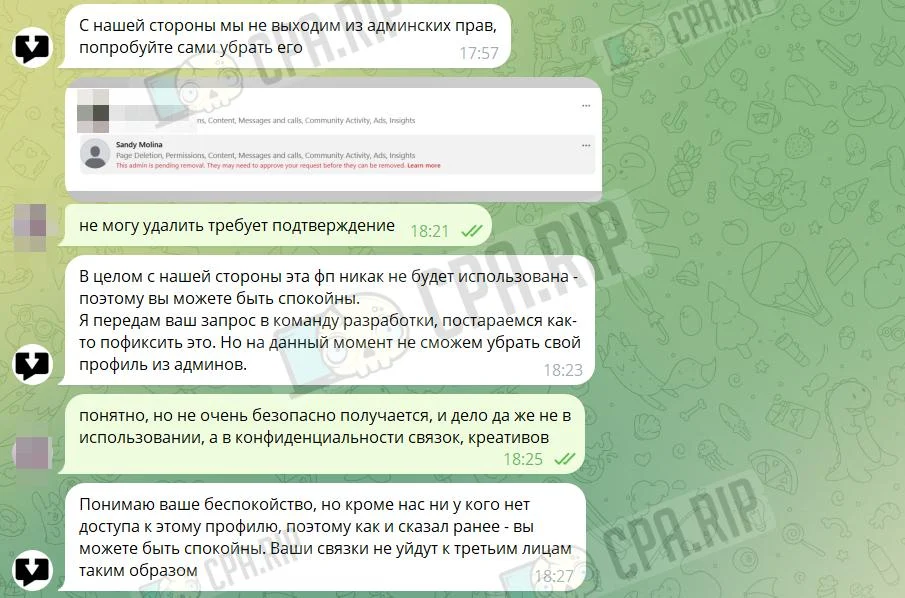
Technical support said they would pass our request to the developers to resolve the situation. They also separately noted that the donor profile is protected, with access available only to the platform’s own employees.
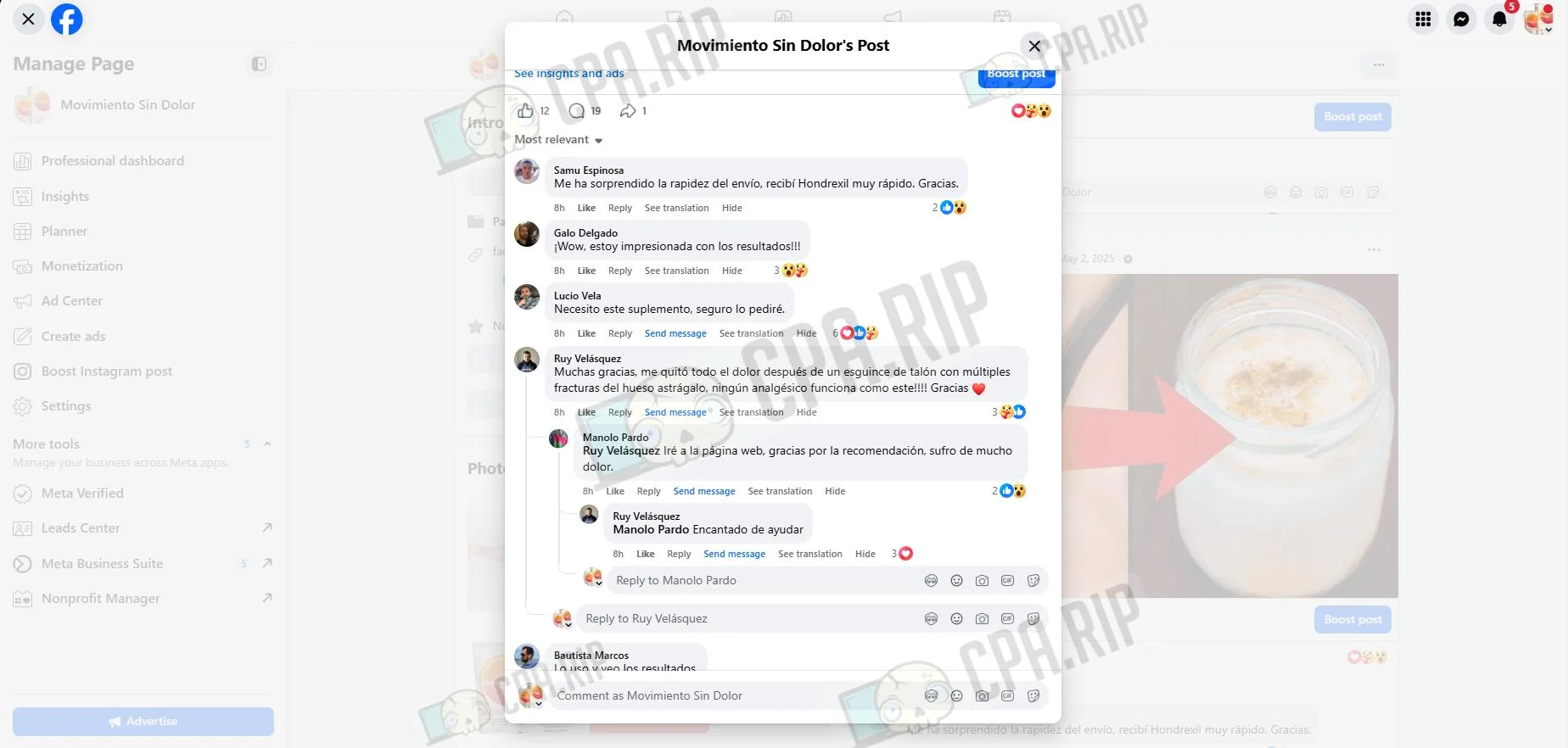
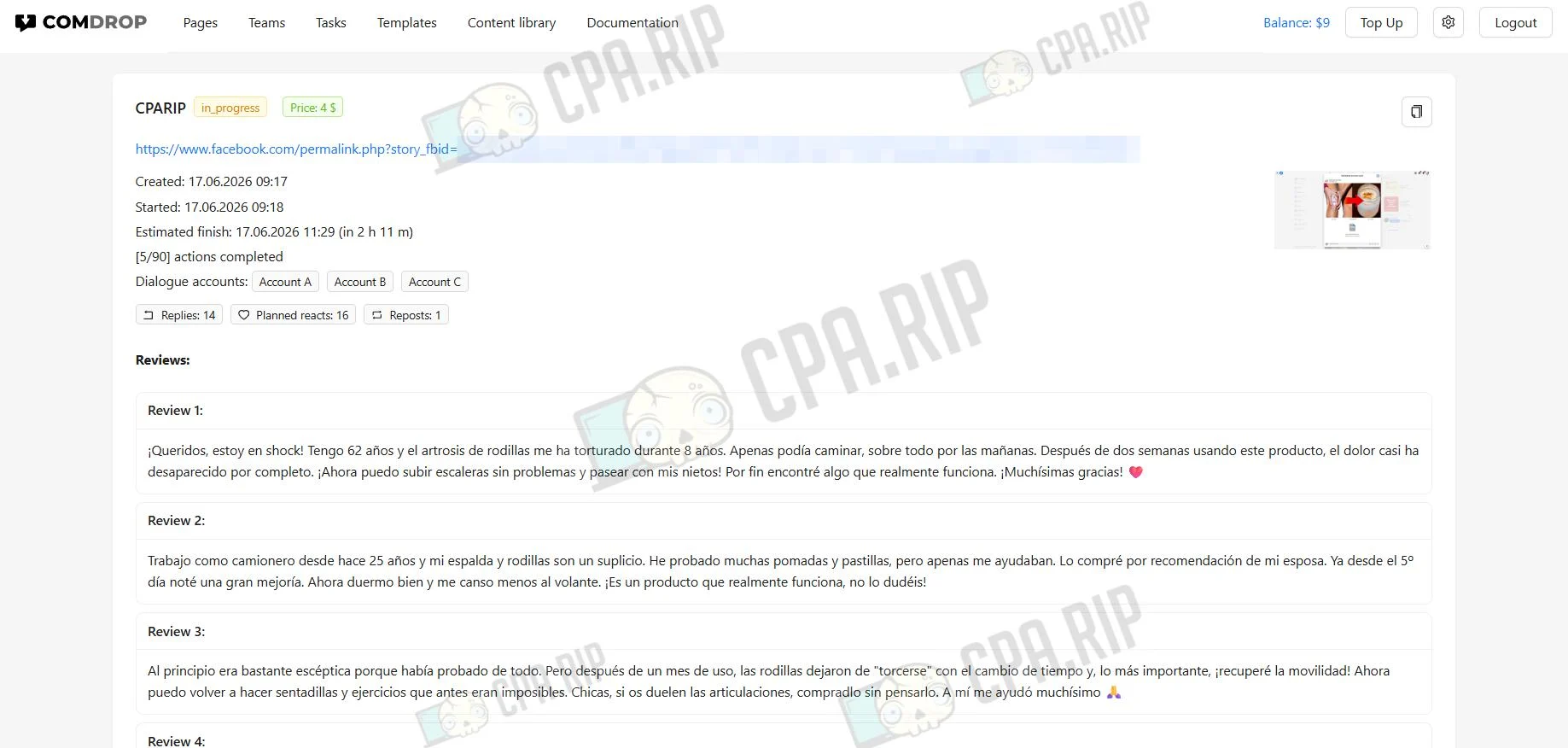
- Creating the comments took 2 hours and 11 minutes, but there is a function to spread the task over 24 hours. The final result looks quite natural, and the comment structure exactly matches the assigned task.
You can learn how to work with comments in Facebook Ads Manager in this article.
Core functionality
- creating Facebook Fan Pages;
- posting comments under advertising posts;
- adding replies in comment threads to imitate short dialogues;
- setting up commenter profiles: gender, age, GEO, and other parameters;
- adding reactions to the post and individual comments;
- reposting the publication to commenters’ personal profiles;
- adding reviews to a Facebook Page;
- starting the task immediately or gradually performing actions over 24 hours;
- creating task templates for repeated use;
- creating comment libraries to quickly insert pre-prepared texts;
- manually configuring each comment: text, author profile, number of reactions, replies in the thread;
- teamwork through the Teams section with role distribution and access-level settings.
Verticals and GEOs
ComDrop supports work with the Nutra, Sweeps, E-commerce, Gambling, Crypto / Finance, and Dating verticals. Available GEOs: US, UK, AU, IE, ES, LATAM, BR, DE, AT, CH, FR, IT, and TR. Opening a custom GEO is possible with a budget starting from $1,000.
Pricing
- Generated Fan Page — $3;
- Completed task with reactions and comments — $4.
Adding funds to the balance
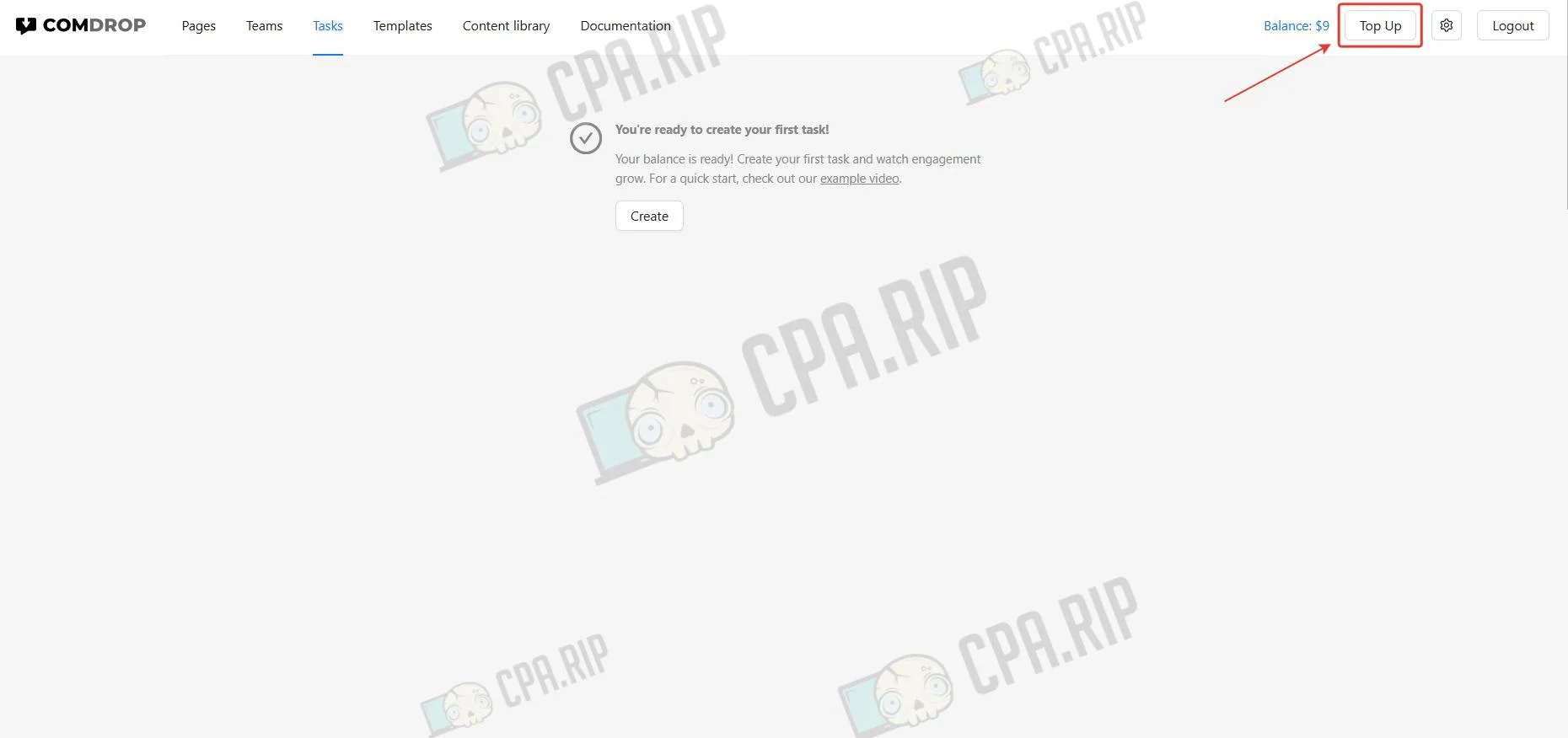
Work in ComDrop starts with adding funds to the balance. To do this, click Top up.
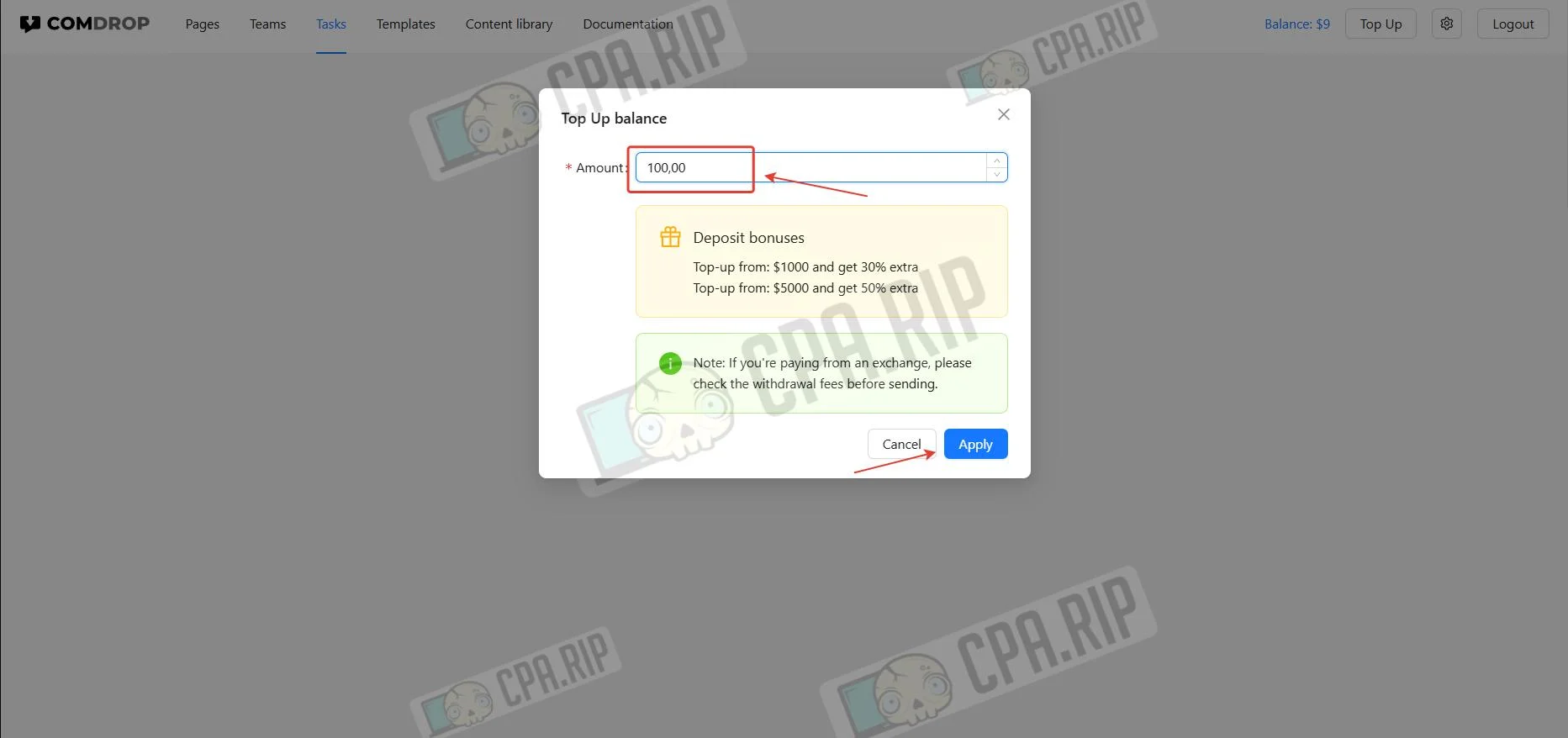
- Enter the top-up amount and click Apply. The minimum amount is $100.
Payment is accepted in: USDT, BTC, ETH, TRX, and USDC.
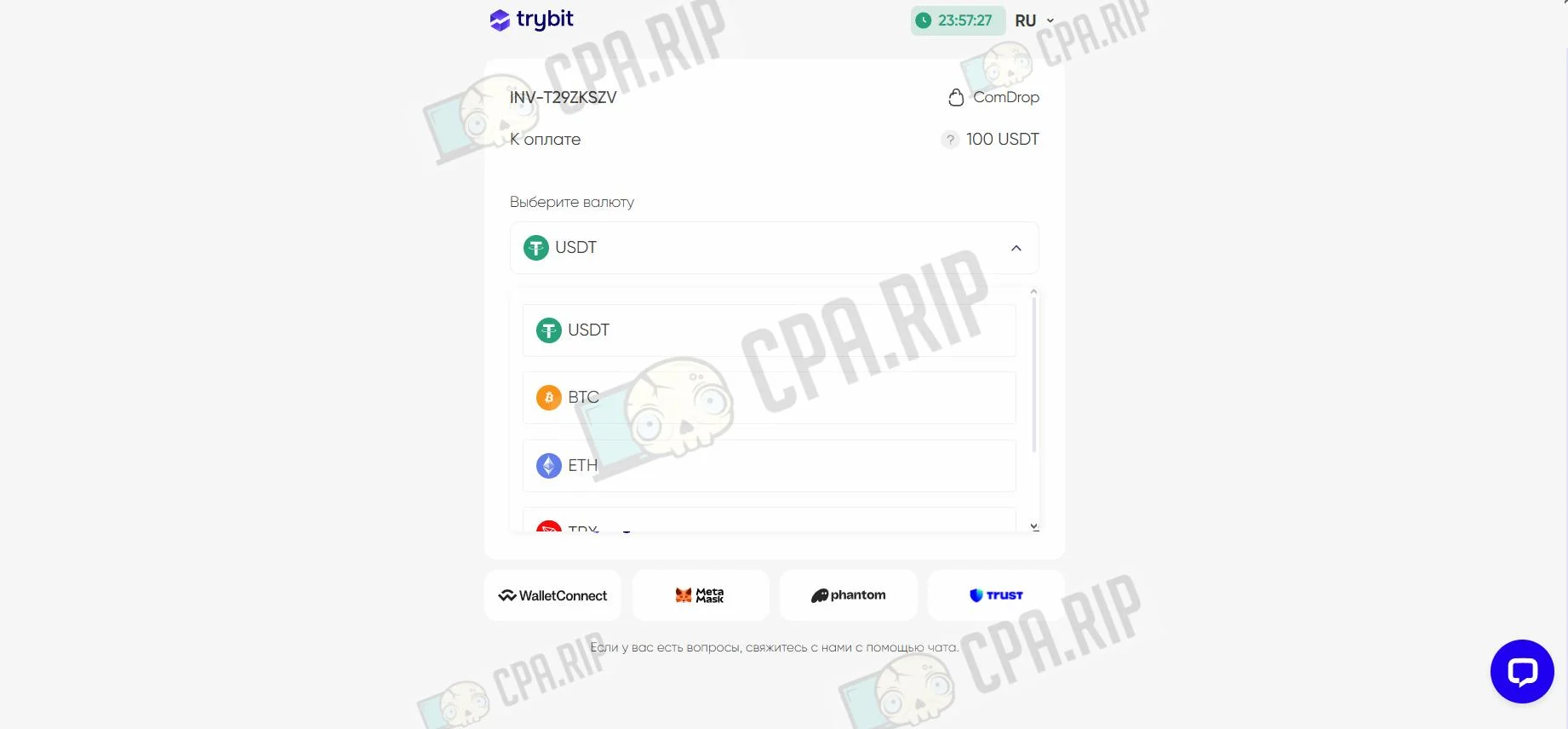
Complete the payment, and the balance will update automatically.
Next, we will go step by step through how to work with the service’s main tools.
Creating a Fan Page
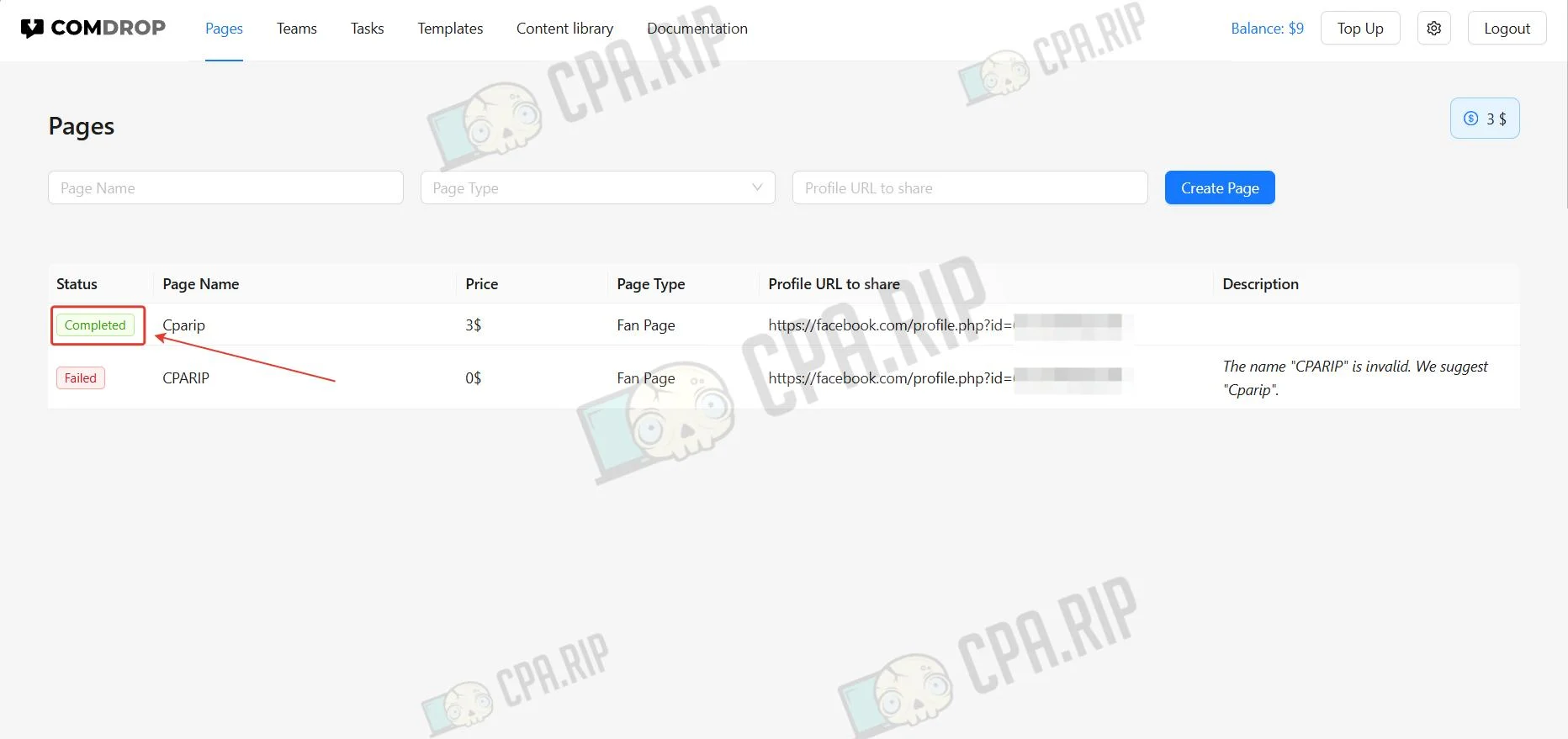
- Go to the Pages section.
- Enter the name, select the page type, and paste the URL of the Facebook account.
- Click Create Page.
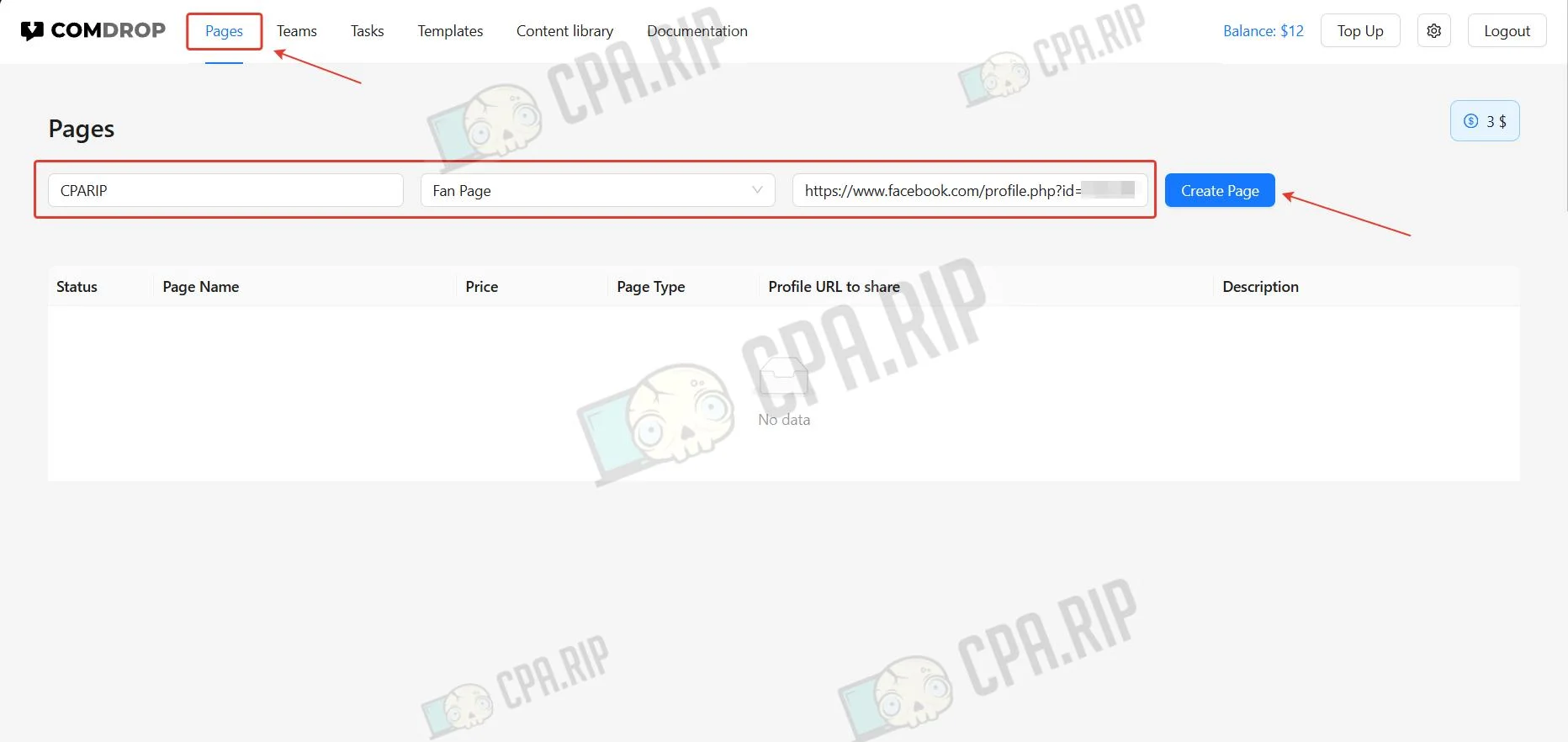
- When the task is completed, the status will change to Completed.
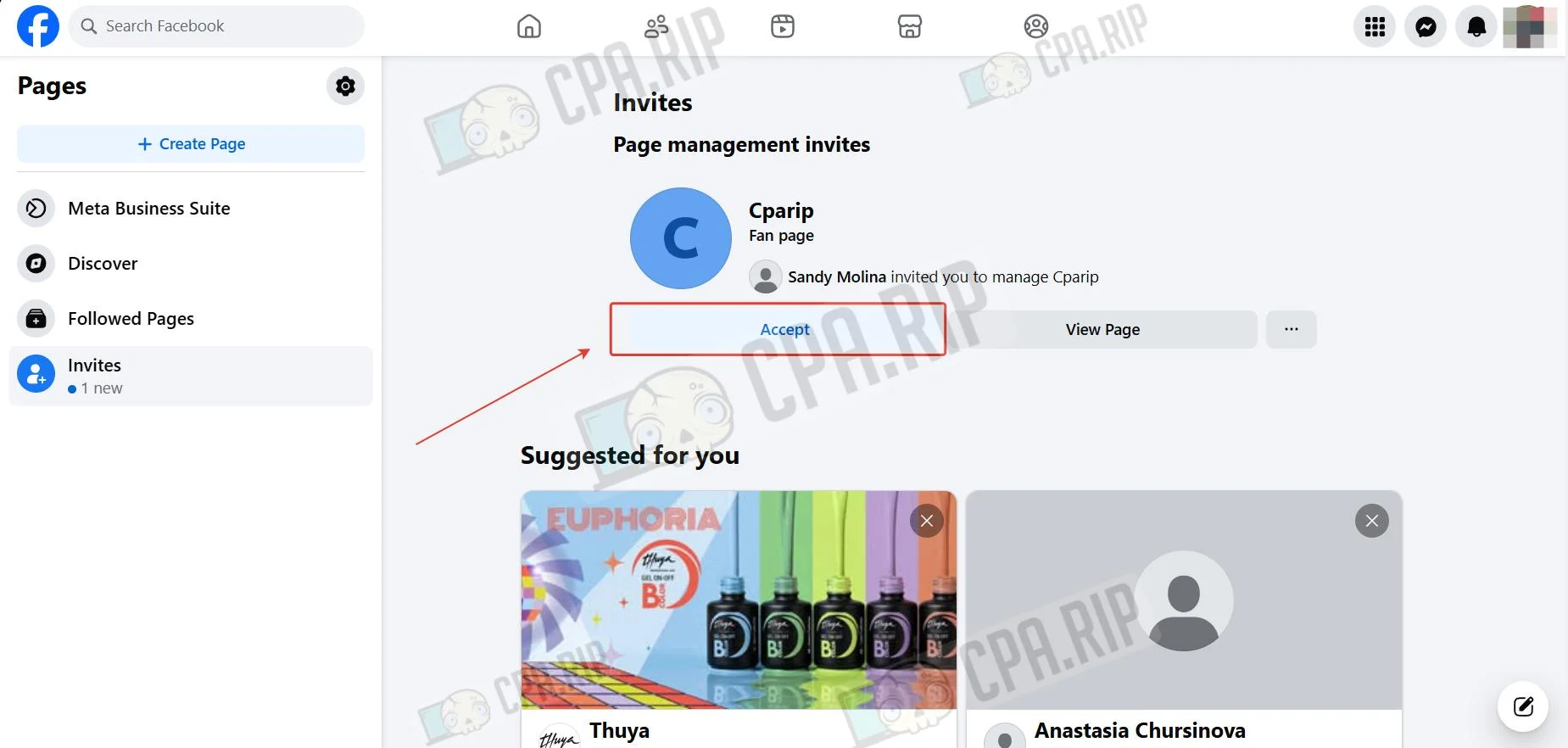
- Accept the Fan Page on the Facebook account. Follow the link https://www.facebook.com/pages/?category=invites&ref=bookmarks and click Accept.
You can find how to further prepare the page for launching ads in this article.
Creating a task for posting comments
A task is a comprehensive set of actions with one post: reactions, comments, replies in comment threads, as well as page reviews and reposts.
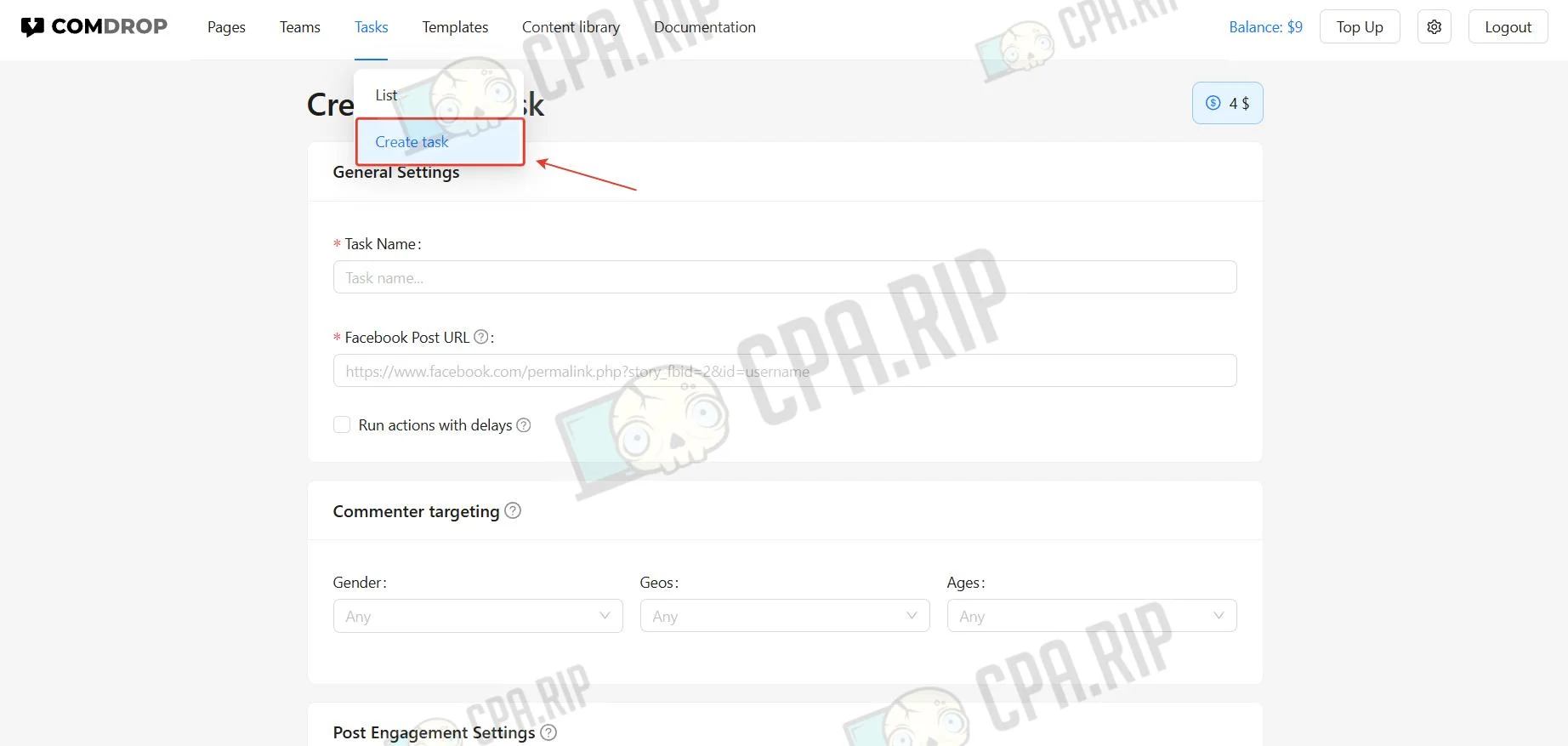
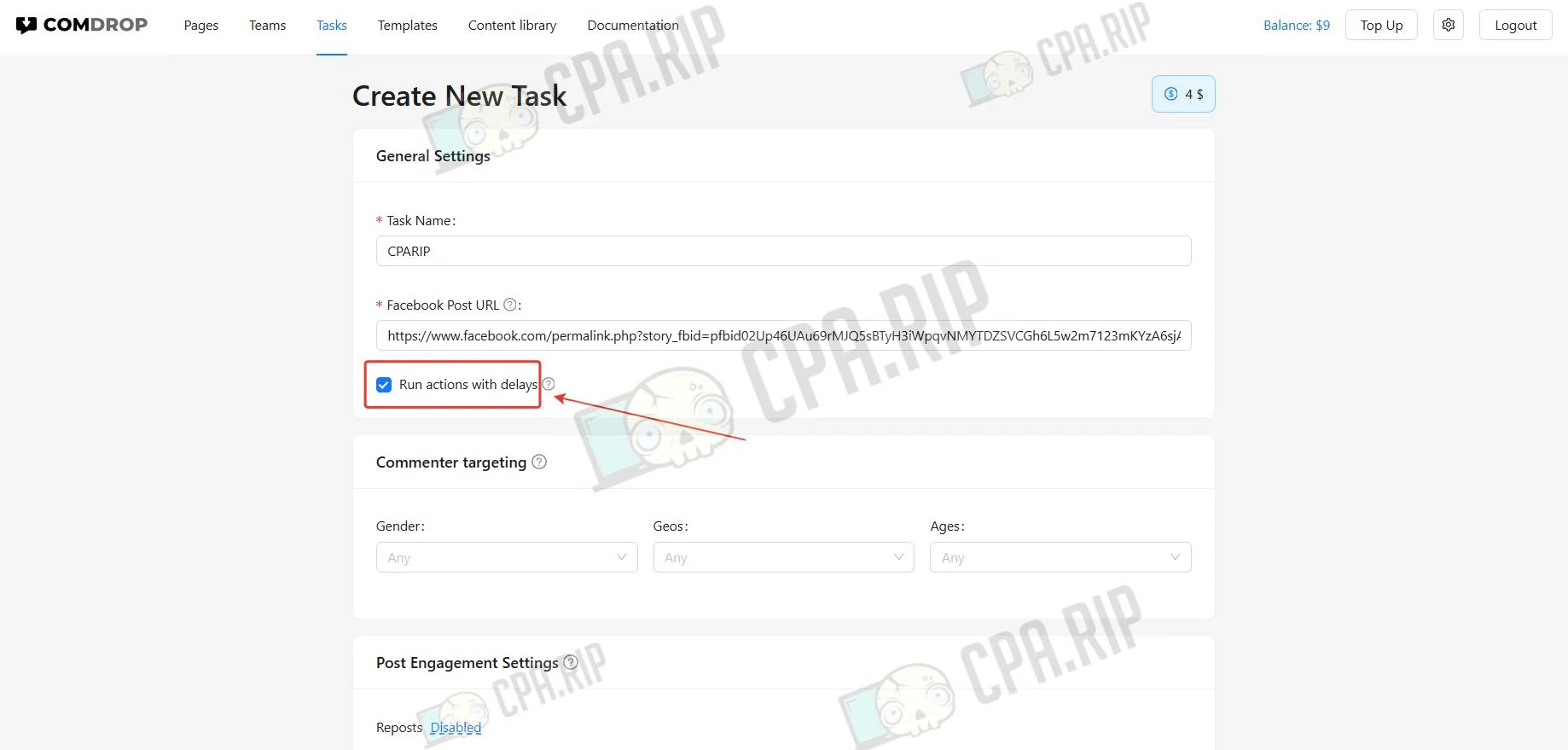
- Select the Task section and click Create Task.
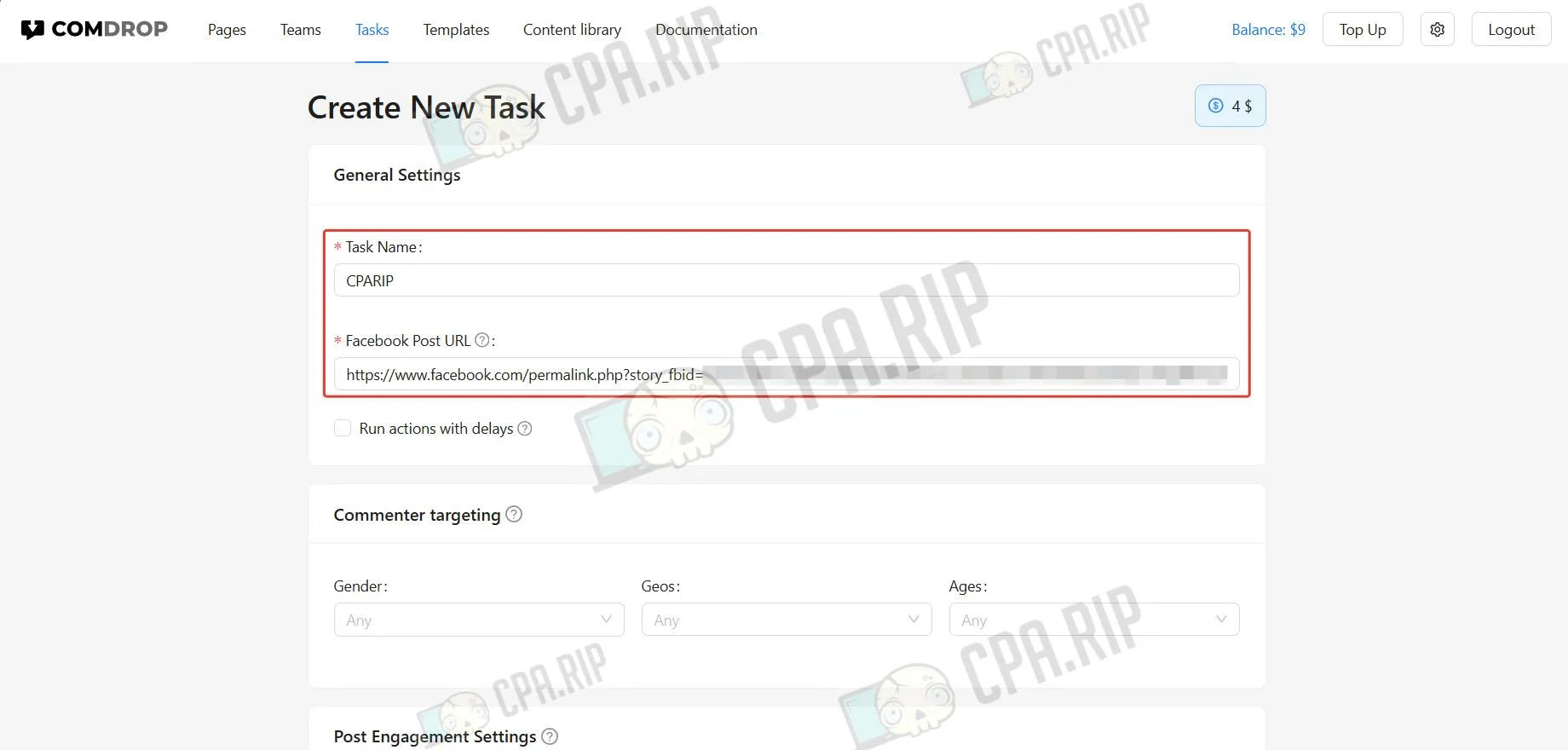
- Enter the task name and paste the URL of the Facebook post. Getting a link to an advertising publication is described in this article.
- To perform the task gradually over 24 hours, select Run actions with delays.
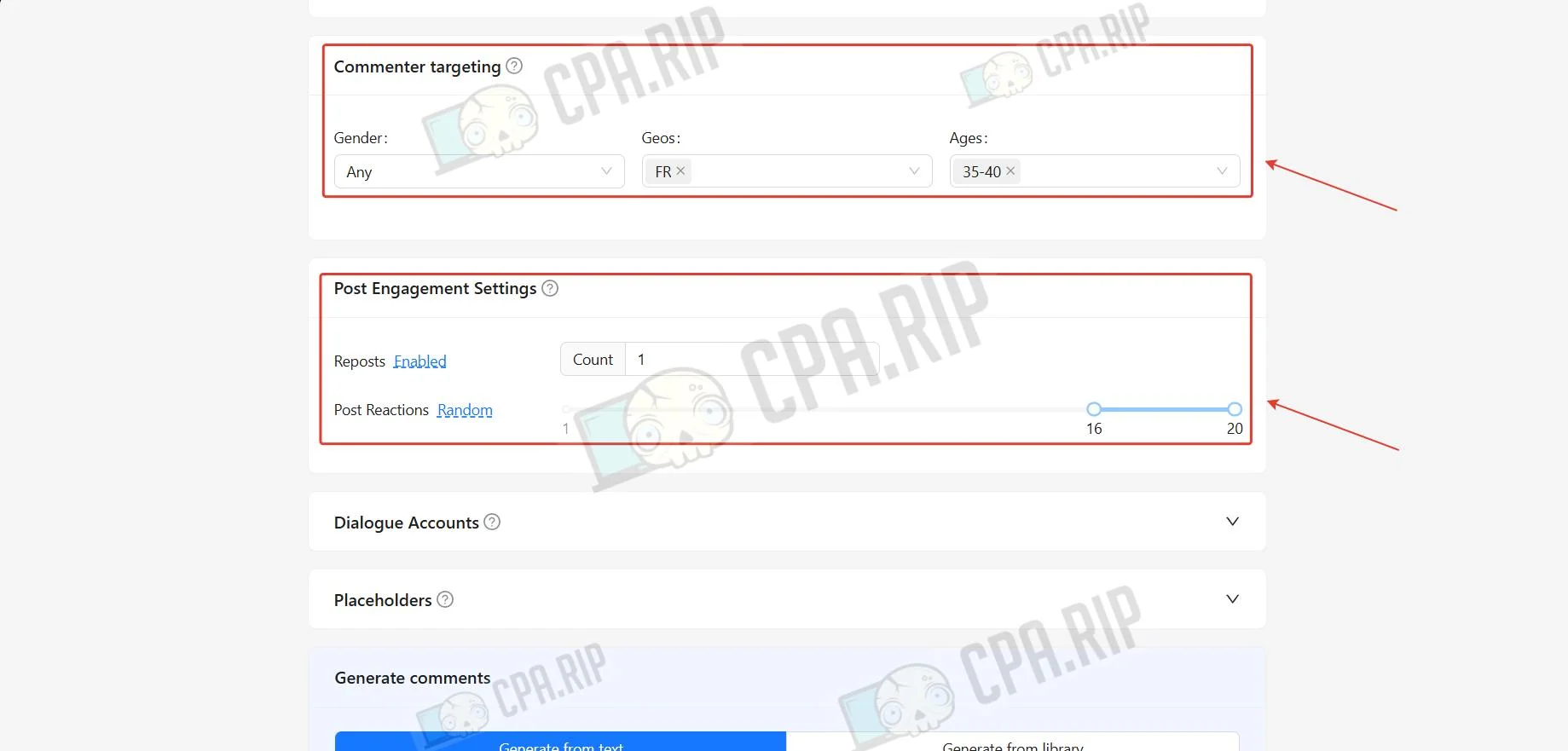
- In the Commenter targeting block, set the default profile for commenters. Later, the profile can be overridden for each comment.
- In the Post Engagement Settings block, set the number of reactions and reposts to commenters’ personal profiles.
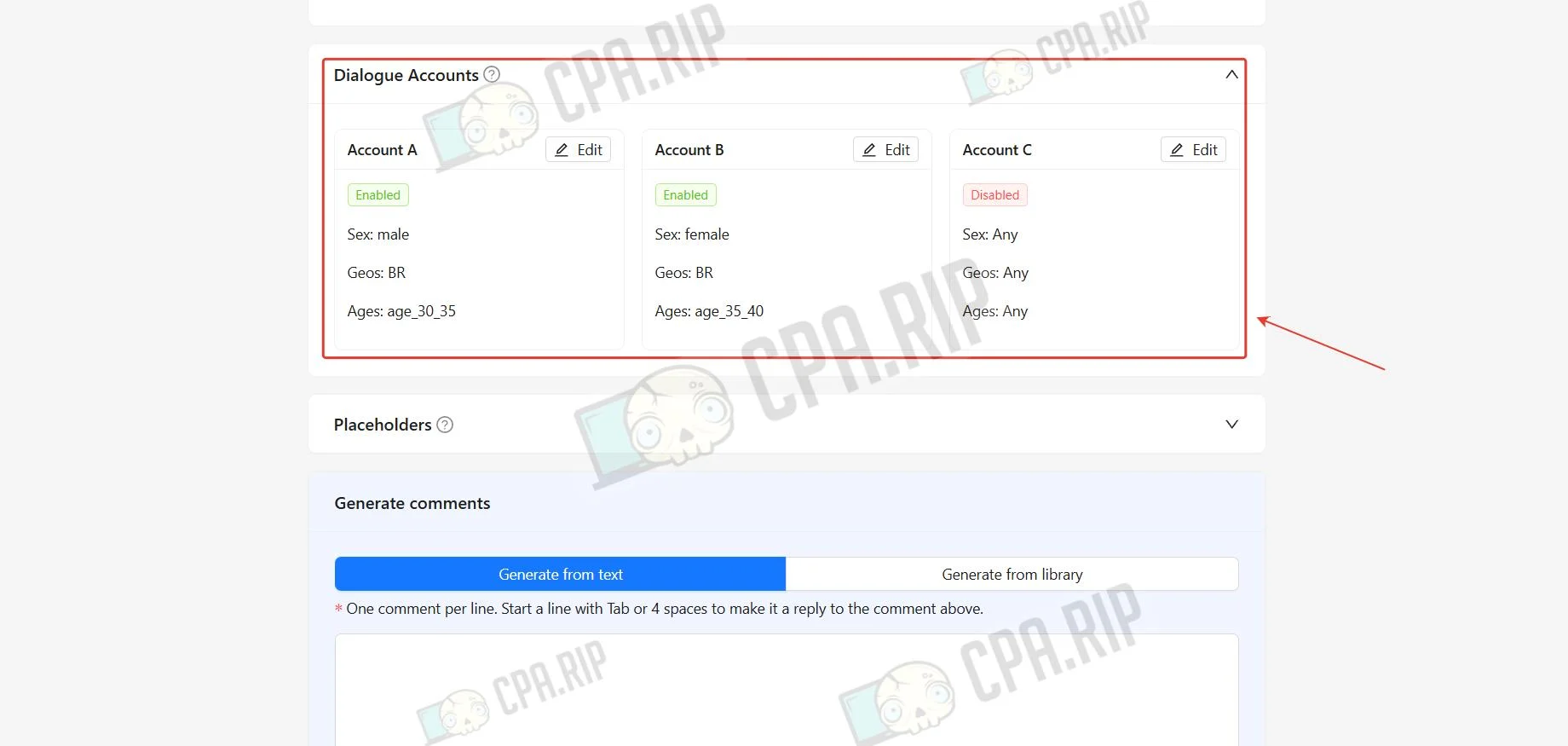
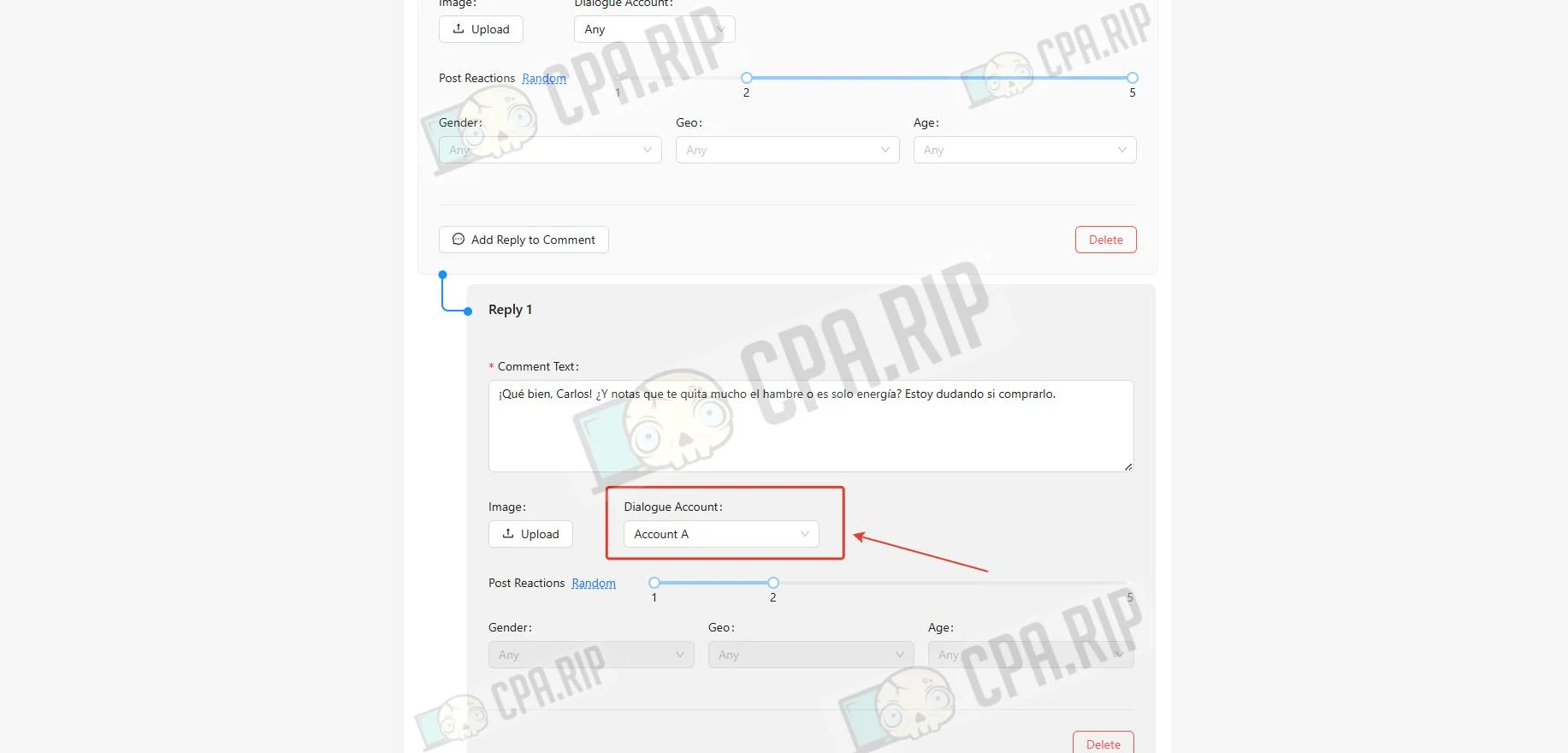
- To create short dialogues between several “characters,” set dialogue profiles in the Dialogue Accounts section.
In total, up to 20 comments can be added to one task, including branches.
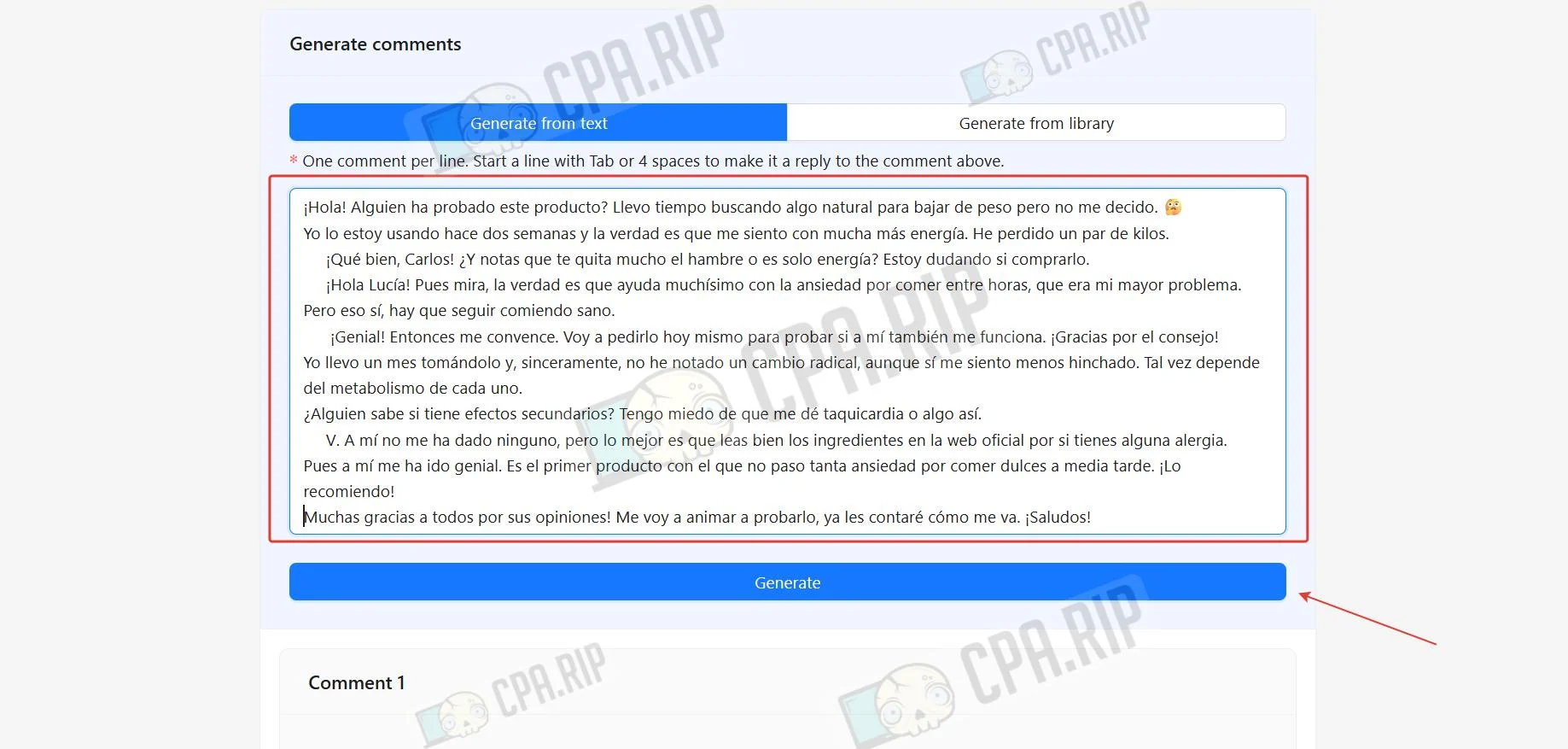
Comment cards can be handled in several ways. Cards are filled from text where each line is a new comment, or from a library added in advance, or by manually filling in each card.
- In the Generate comments section, in the Generate from text subsection, add text where each line is a new comment, and if a line starts with a Tab or 4 spaces, it is a reply to a comment. Click Generate.
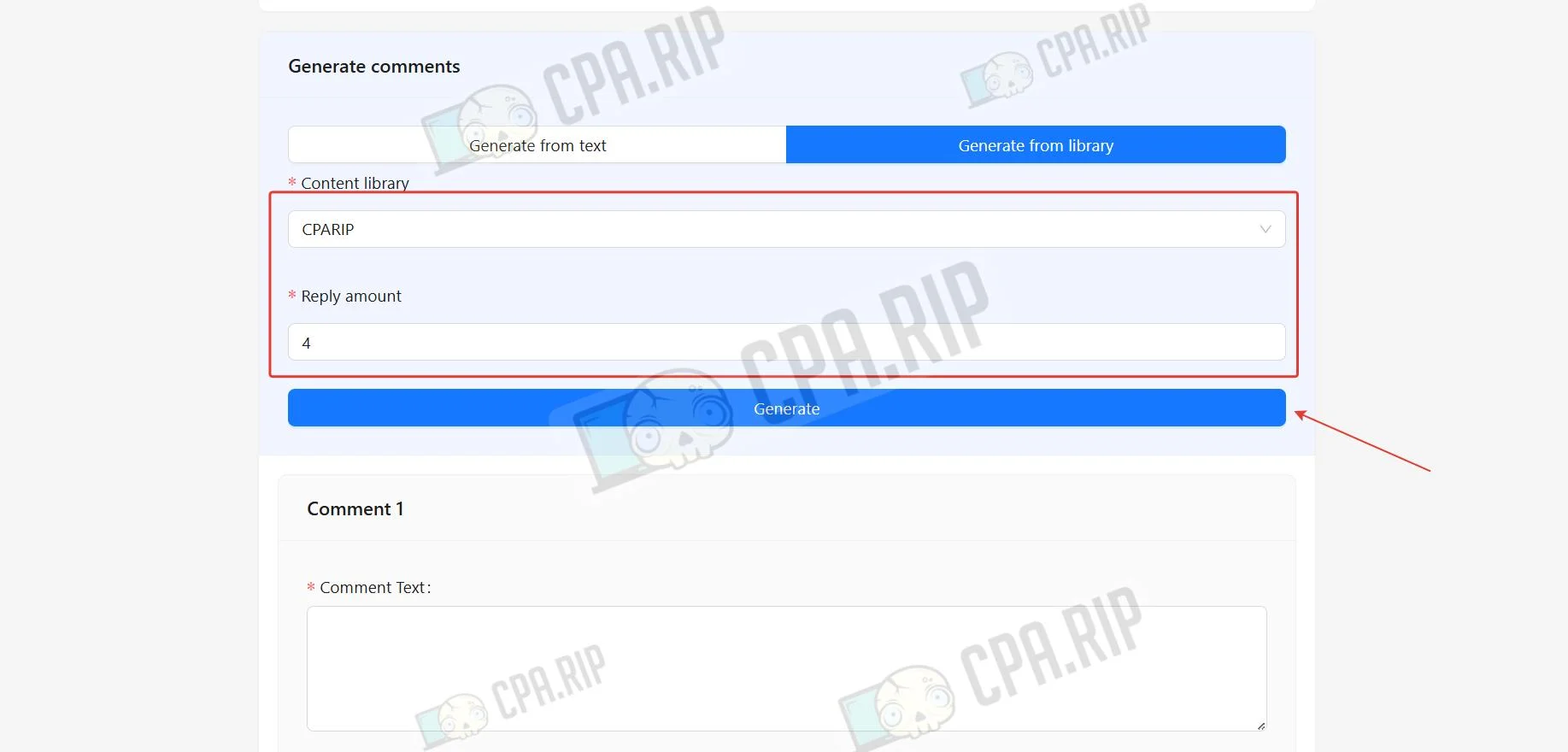
- In the Generate from library subsection, you can add comments from a previously created library. To do this, select the library, the number of comments, and click Generate.
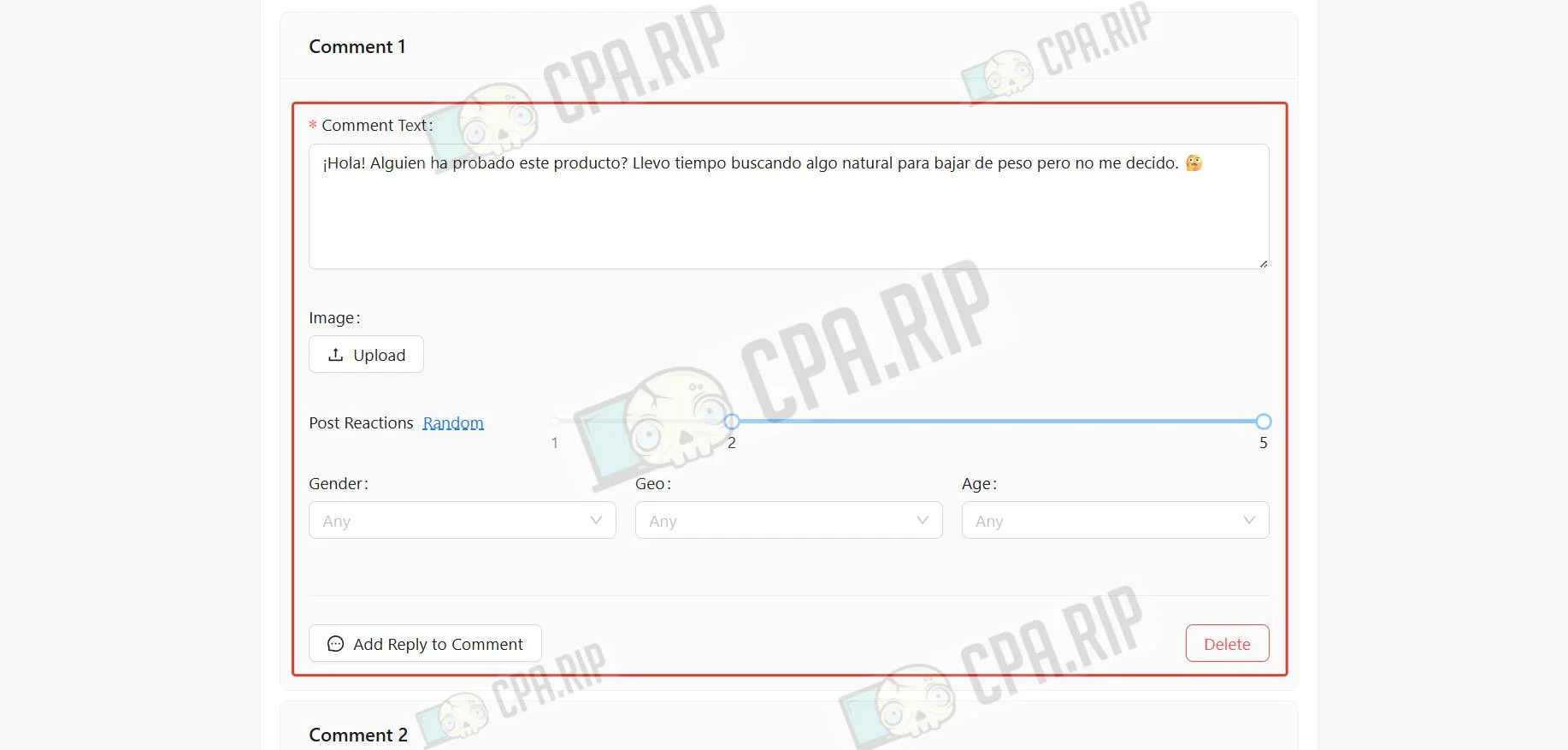
- Configure each comment by specifying the number of reactions and the commenter profile if the default one is not suitable.
- To create dialogues, use the dialogue accounts configured in advance.
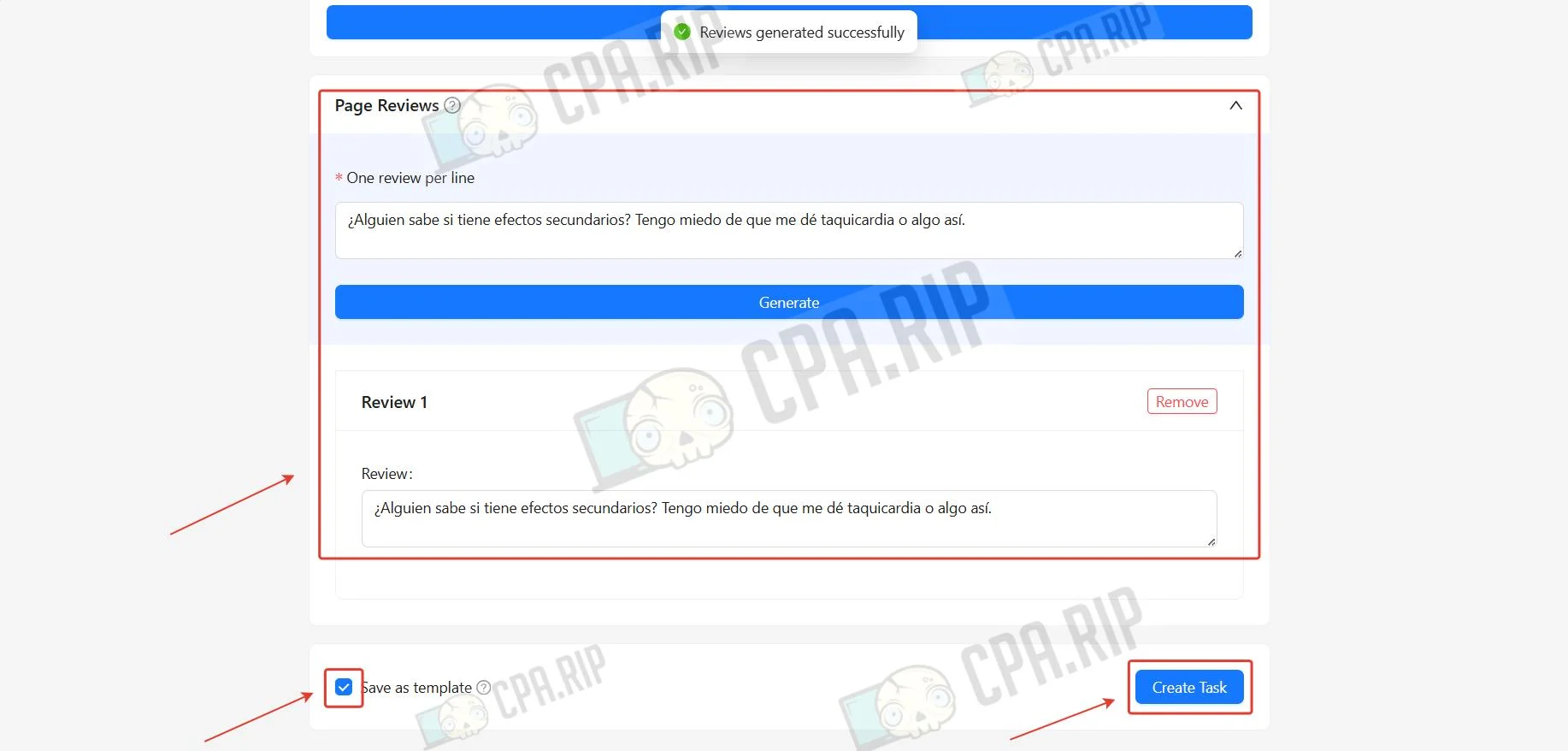
- In the Page Reviews section, you can add reviews to the Facebook Page itself. The text length must exceed 25 characters.
- To save this task as a template, select Save as template.
- Click Create Task to submit the task.
- Detailed information about the task status and completion time will open.
Creating a comment template
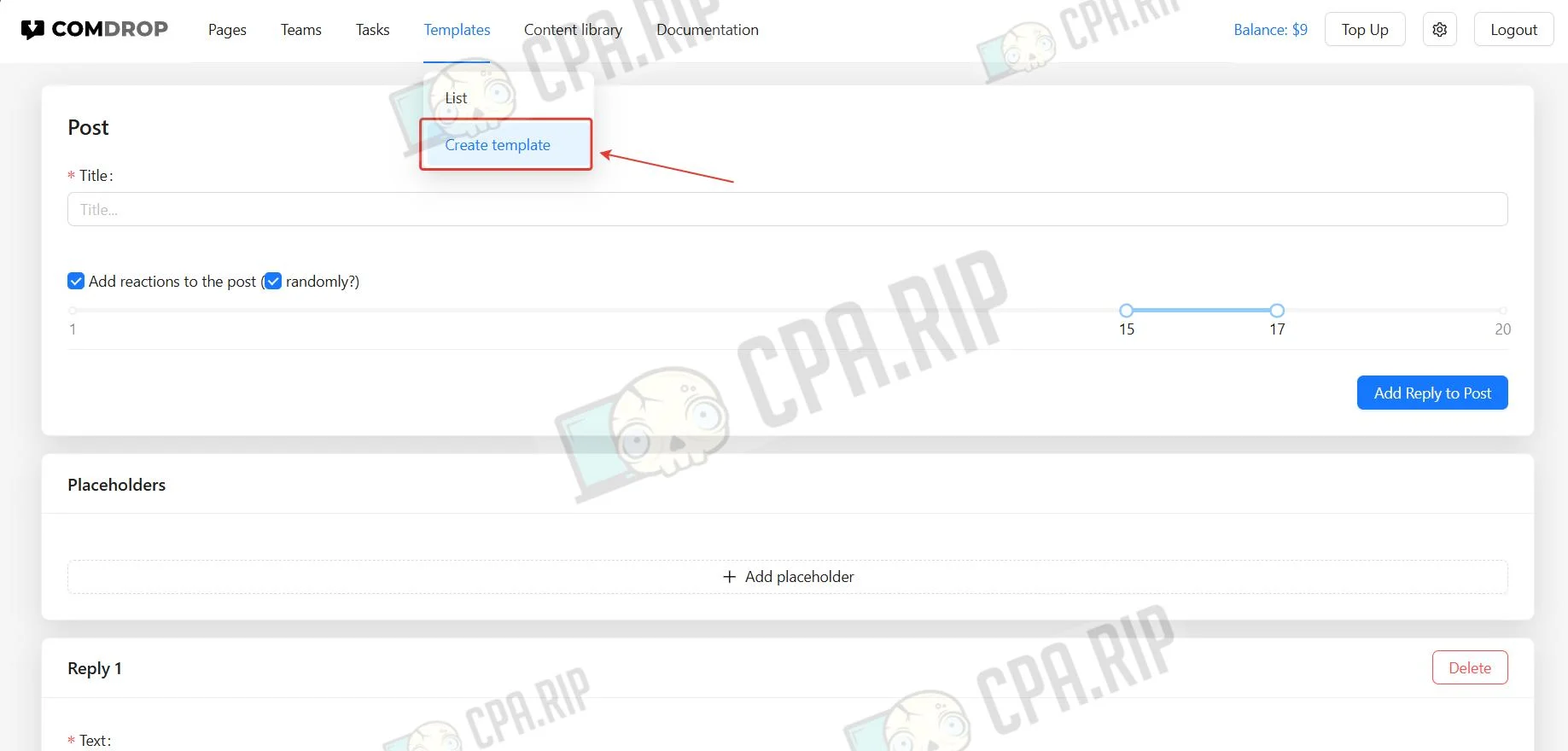
- To create a template, select the Templates section and click Create Templates.
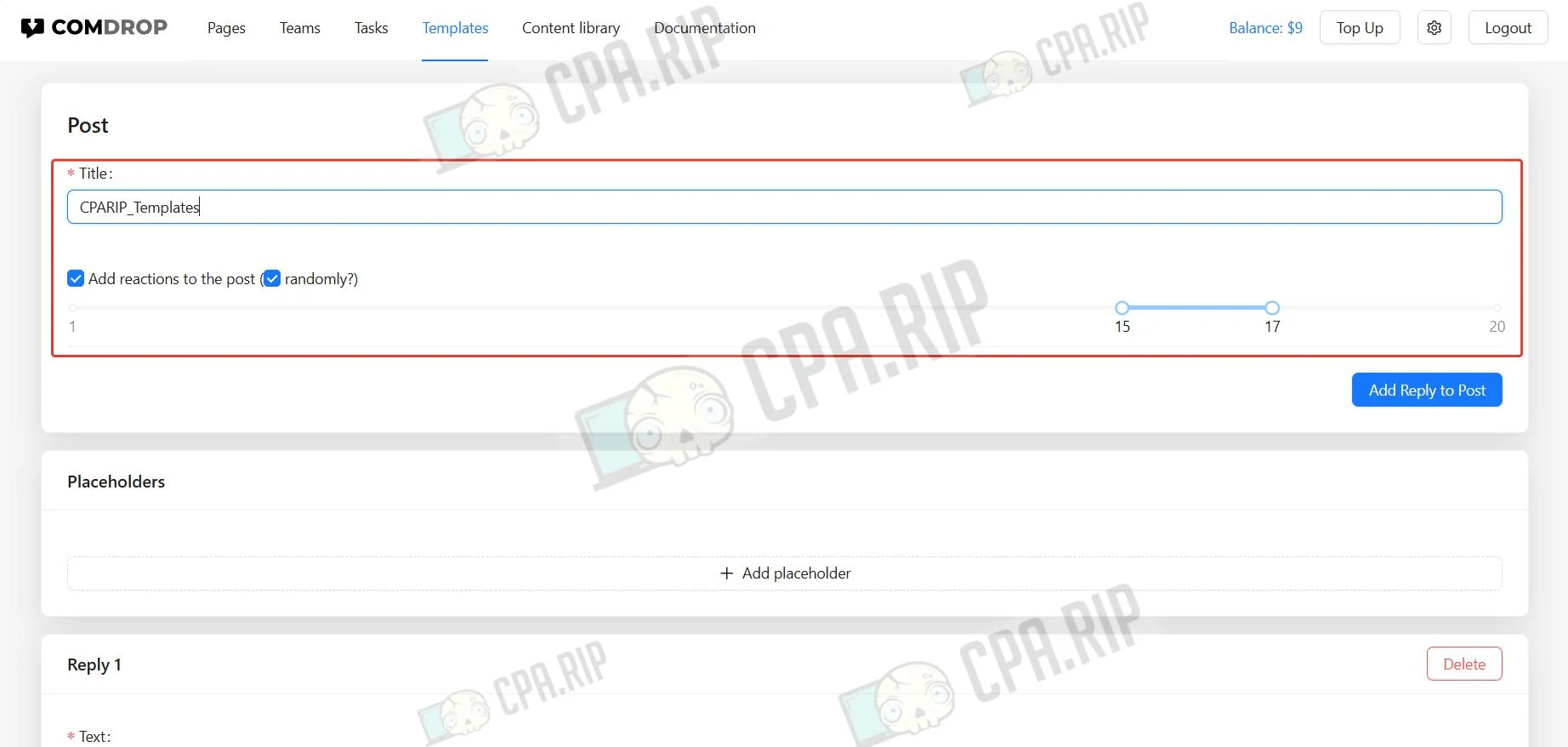
- Enter the name and number of reactions.
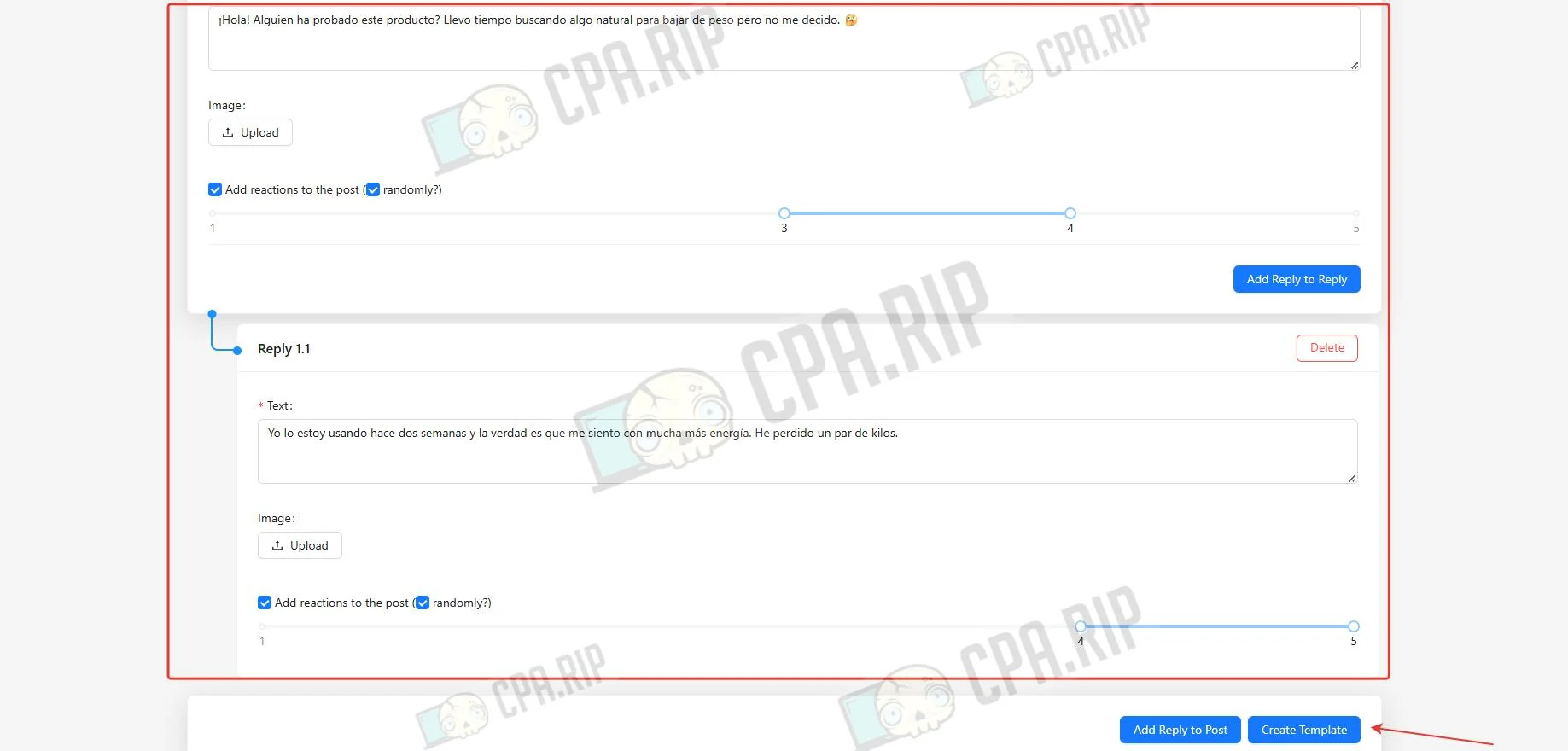
- Configure the required number of comments and click Create Template.
Creating a comment library
- Select the Content library section and click Create Content.
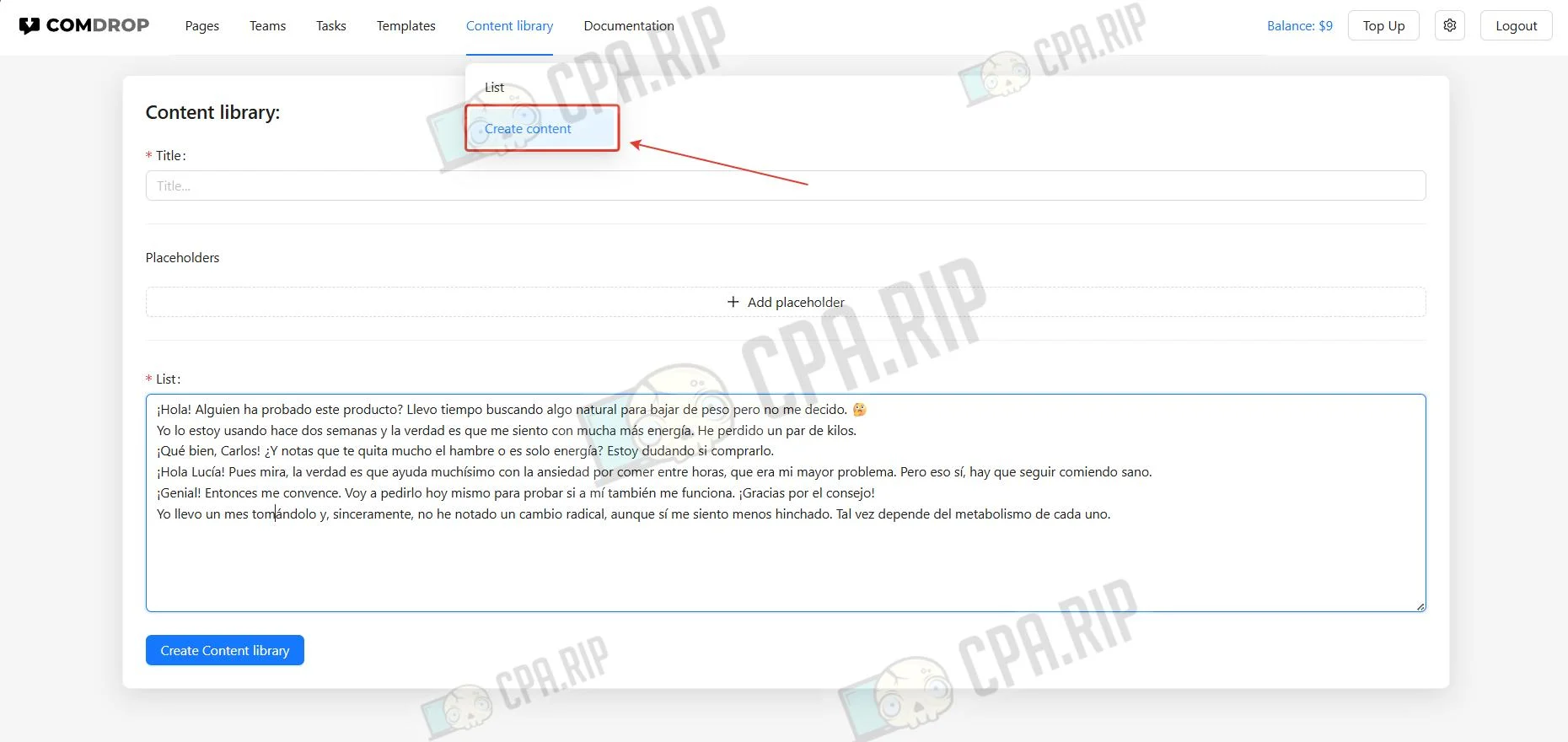
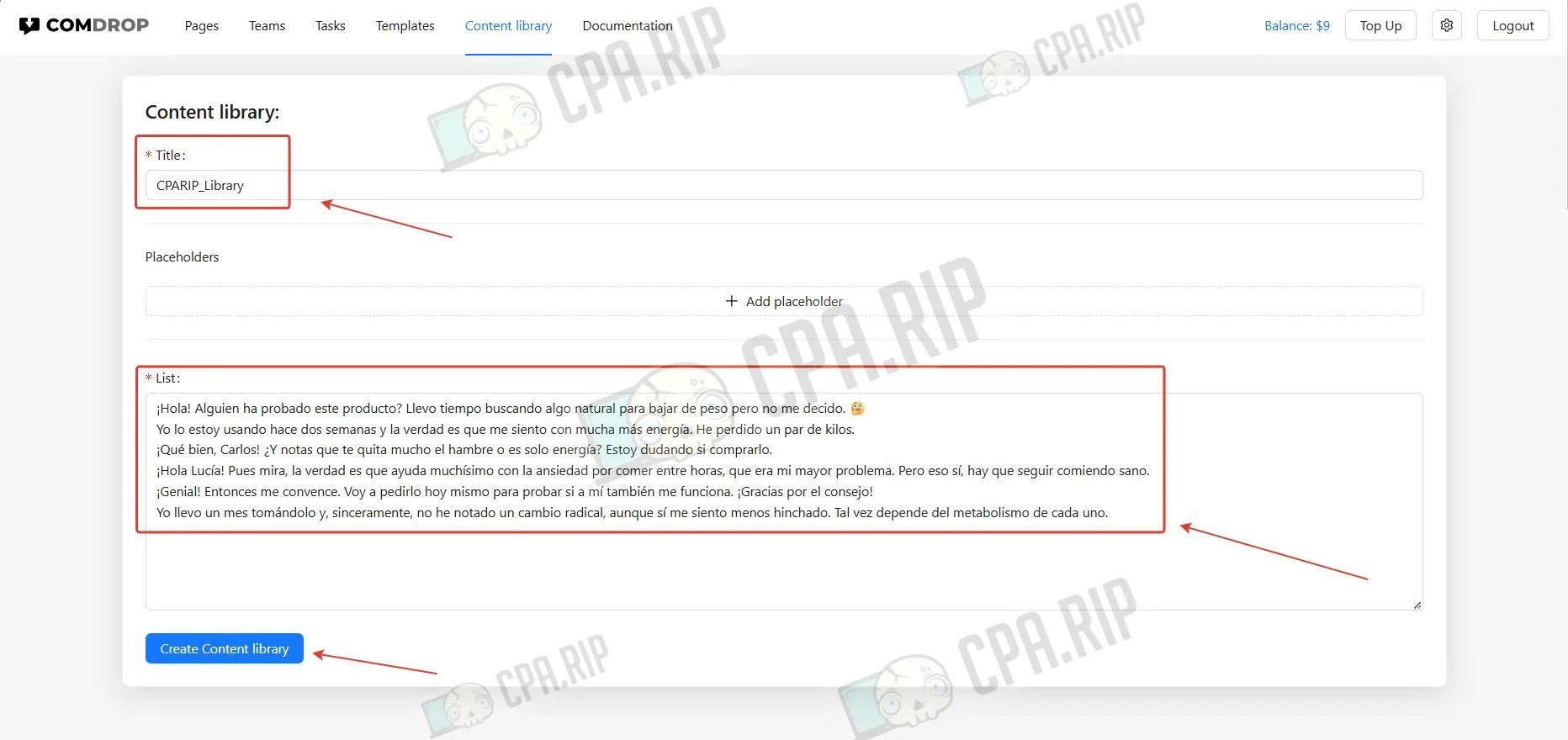
- Enter the name, add placeholders if needed, and paste comments as a list, with each comment on a new line.
- Click Create Content library.
Teamwork
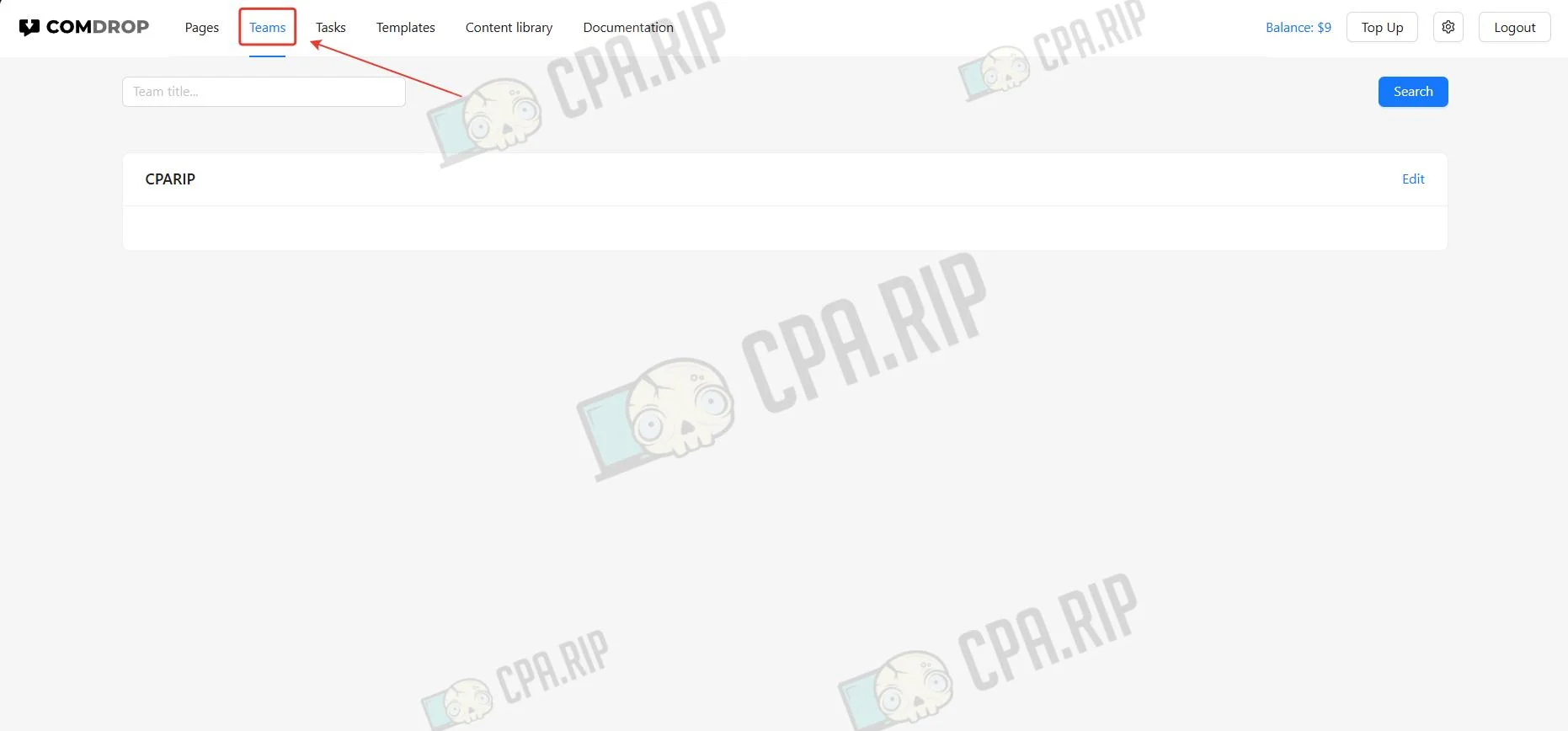
Team management is handled through the Teams section for administering members, assigning roles, and configuring access levels to system functionality.








Comments