

![[FBM] CARDS](https://cpa.rip/wp-content/uploads/cr-a1/fbm-cards-v1/fbm-cards-logo.svg)




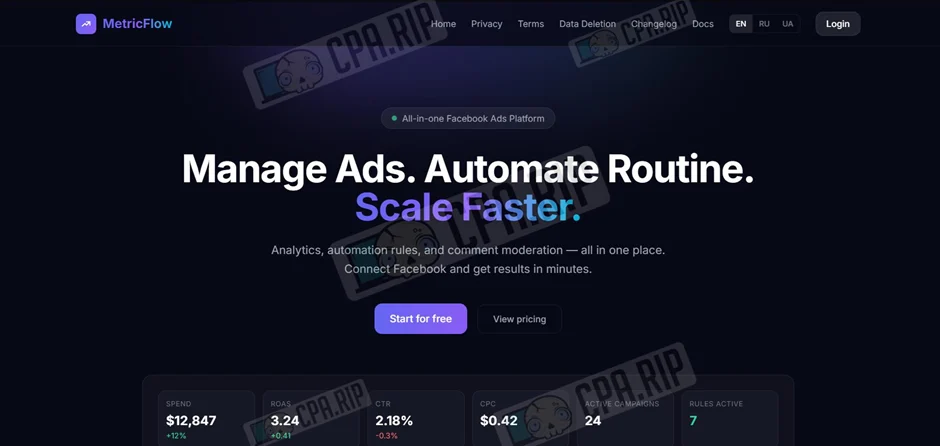
An overview of the MetricFlow service for analysing the performance of Facebook Ads. We’ve looked at the main features, interface, pricing, and how to connect Facebook accounts.
MetricFlow is an analytics platform for Facebook Ads campaigns, featuring automated rule settings and comment moderation for ad posts.
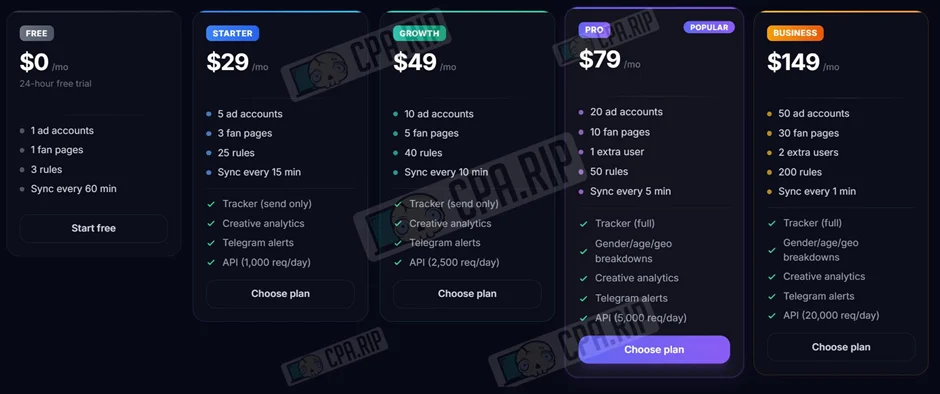
Pricing
First month free!
Free | Starter | Growth | Pro (Popular) | Business |
$0/month (24-hour trial) | $29 /мес | $49 /мес | $79 /мес | $149 /мес |
1 advertising account | 5 advertising accounts | 10 advertising accounts | 20 advertising accounts | 50 advertising accounts |
1 Fan Page | 3 Fan Pages | 5 Fan Pages | 10 Fan Pages | 30 Fan Pages |
3 rules | 25 rules | 40 rules | 50 rules | 200 rules |
60-minute synchronisation | 15-minute synchronisation | 10-minute synchronisation | 5-minute synchronisation | 1-minute synchronisation |
— | — | — | 1 additional user | 2 additional user |
— | Tracker (send only) | Tracker (send only) | Tracker (Full) | Tracker (Full) |
— | Creative analytics | Creative analytics | Analytics + demographics | Analytics + demographics |
— | Telegram alerts | Telegram alerts | Telegram alerts | Telegram alerts |
— | API (1,000 requests/day) | API (2,500 requests/day) | API (5,000 requests/day) | API (20,000 requests/day) |
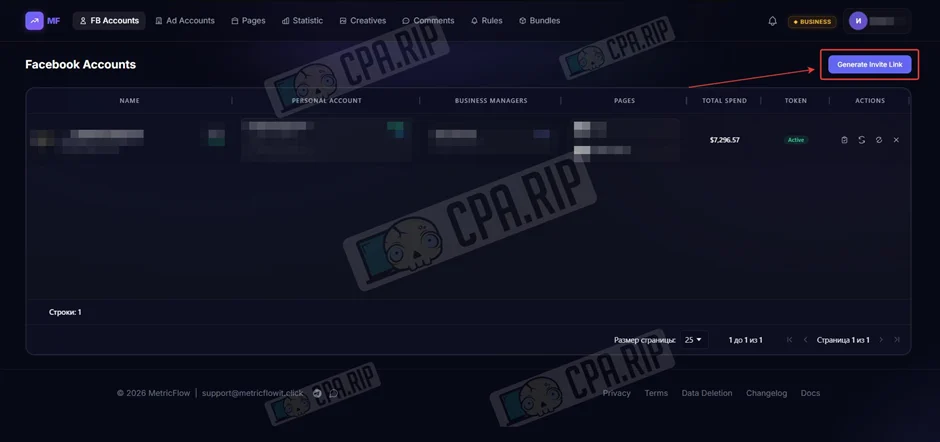
Connecting Facebook account
To connect an account, click ‘Generate Invite Link’ in the ‘FB Accounts’ section.
Next, copy the link you’ve received.
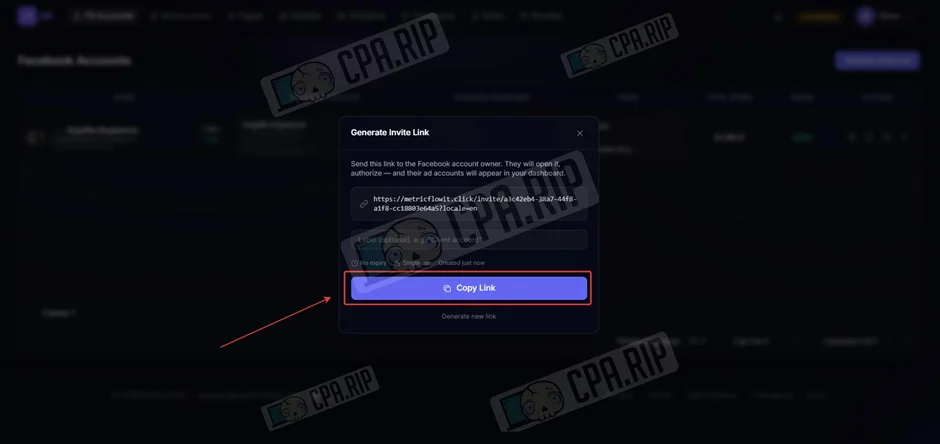
Open this link in an antidetect browser using a working Facebook account and click ‘Connect with Facebook’.

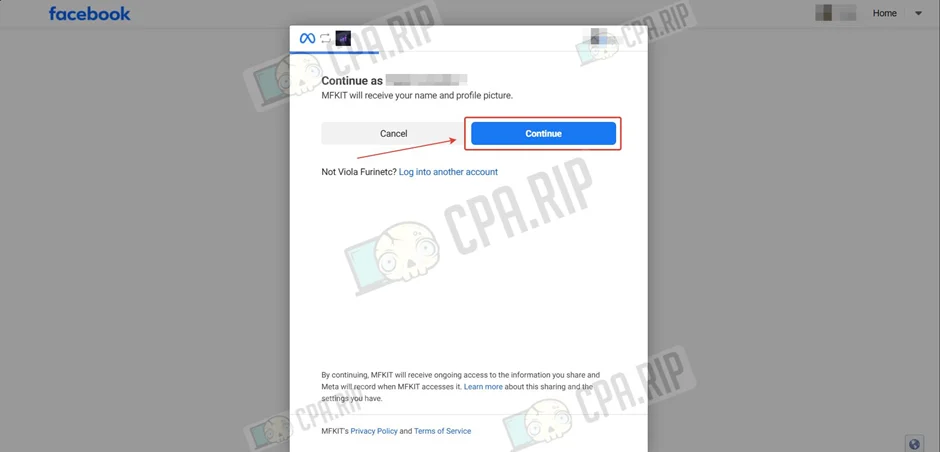
Next, click ‘Continue’.
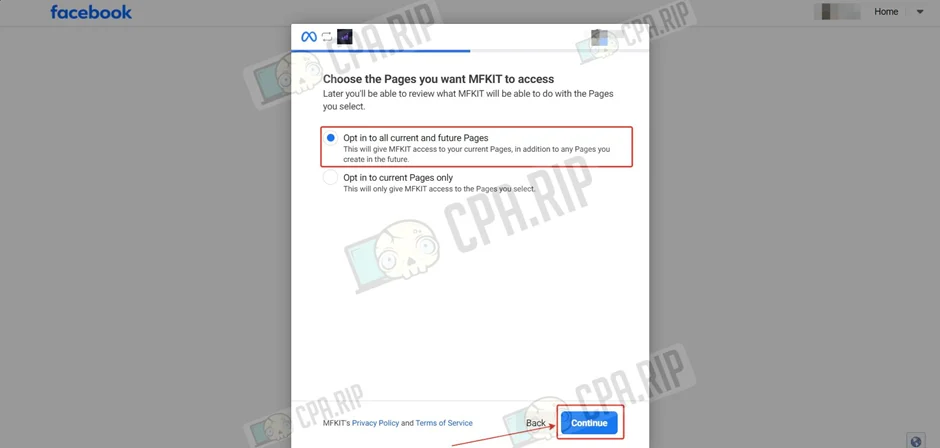
Select ‘Opt in to all current and future Pages’ and click ‘Continue’.
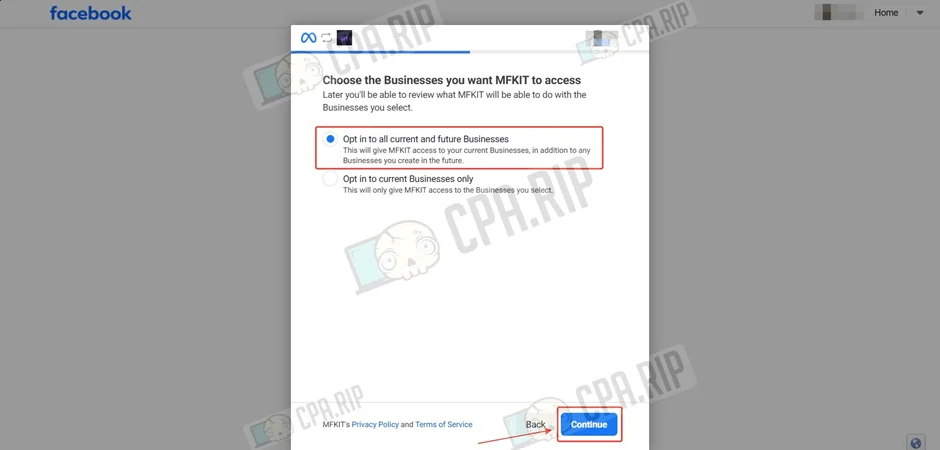
Select ‘Opt in to all current and future Businesses’ and click ‘Continue’.
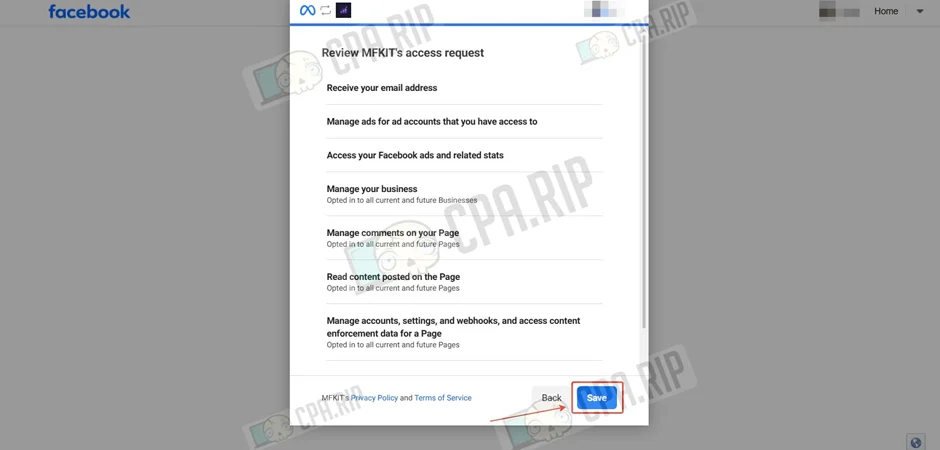
Click ‘Save’.
The MetricFlow service will display the account addition settings. Select the required ad accounts and click ‘Continue’.
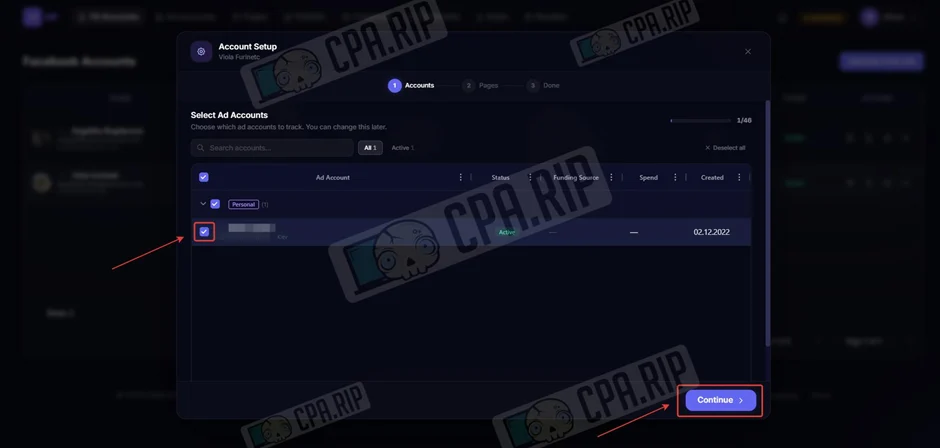
Select the Pages and click ‘Finish’.

Ad Accounts
The ‘Ad Accounts’ section is the Facebook account dashboard, where you can track their statuses, payment methods, currencies and key metrics such as spend, performance and limits. Key features include filtering by profiles and Business Managers, grouping data, and customising the columns displayed — from account age to reasons for suspension. The frequency of data refreshes depends on your plan.
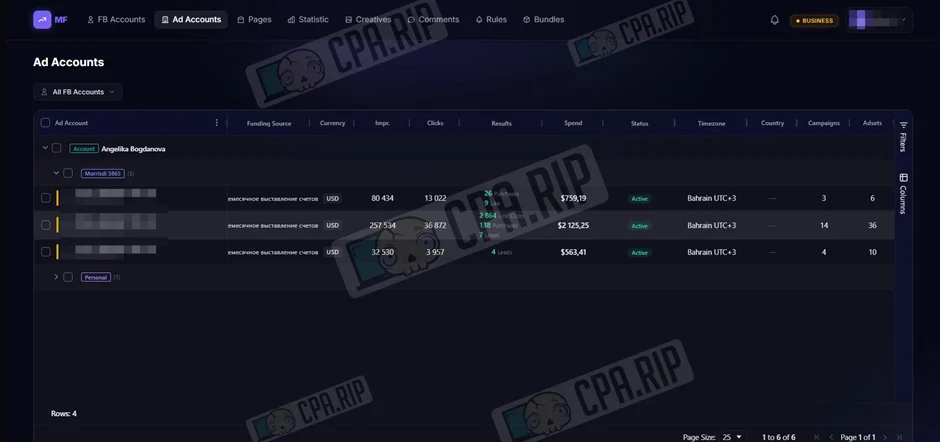
In the current version, when a large number of columns are selected, horizontal scrolling is not available, meaning that some of the data in the table remains hidden.
Fan Page Manager
In the ‘Page Management’ section, you can configure bulk webhook monitoring to receive comments, as well as manage the auto-moderation system, which allows you to automatically hide or delete unwanted content.
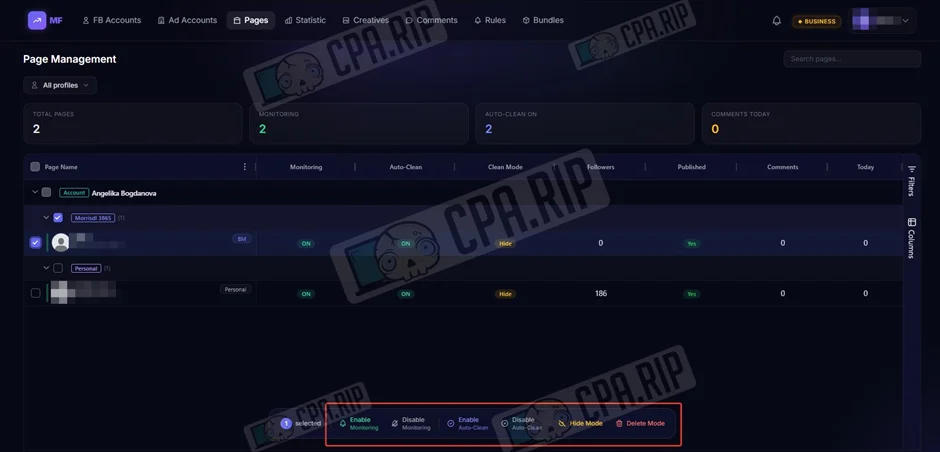
Statistics on campaigns, groups and ads
The ‘Statistics’ section provides a clear analysis of advertising metrics via customisable KPI cards, trend charts and a detailed table with a tree-like structure.
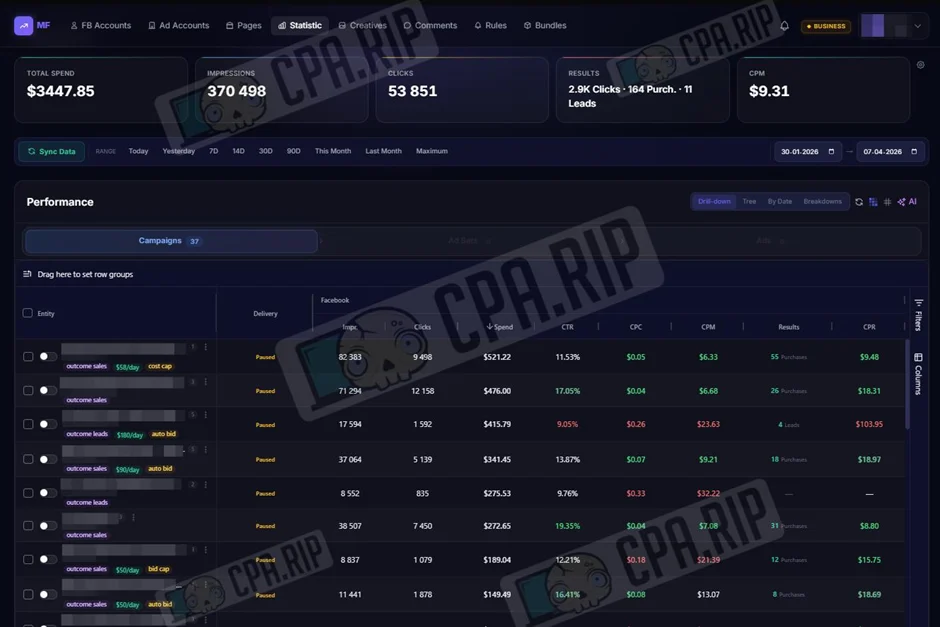
Statistics on creatives
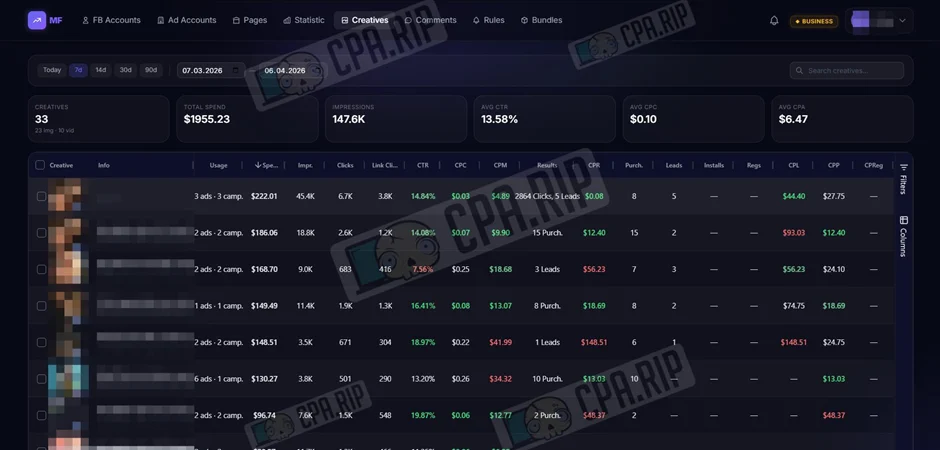
The ‘Creatives’ section collects statistics on images and videos from all ads in one place. You can immediately see previews, texts and key metrics such as costs and click-through rates.
Auto-rules
The rules feature automates ad management, independently performing the necessary actions when set performance metrics are reached. Rule templates are pre-configured rules for standard automation scenarios. One interesting option is to simply set up a notification to be sent via Telegram without taking any action on the campaign itself.
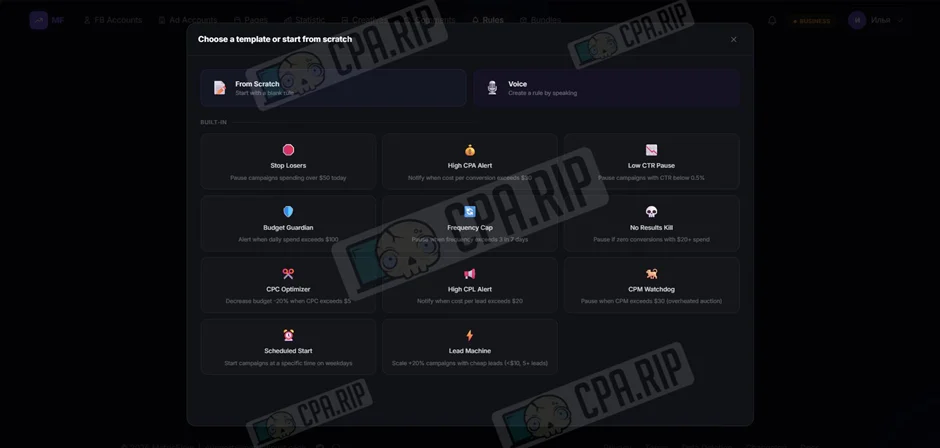
5 basic auto-rules for media buyers: https://cpa.rip/en/facebook/auto-rules/.
Bundles
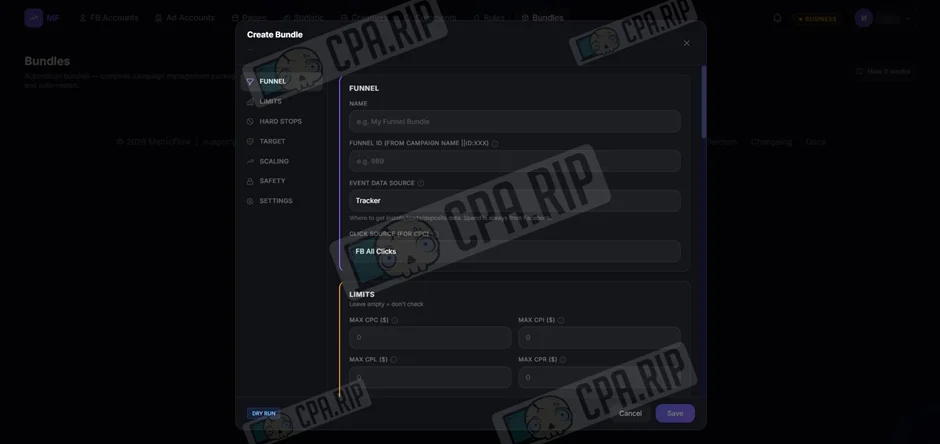
Bundle is an automated system for advertising funnels that analyses metrics and manages campaigns every minute. It automatically pauses unprofitable ads when limits are exceeded or emergency ‘hard stops’ are triggered, increases the budget for profitable ad sets through flexible scaling, and restarts campaigns in the morning. For analysis, you can choose data from either Facebook or a tracking tool.








Comments